

Officially, it is entirely possible to download TikTok videos directly from the platform, but on one condition: that the content creator has authorized the manipulation. When this is the case, recovering a TikTok video to store it locally on a device is child's play. All you have to do is select the share button, and then press the dedicated download button to repatriate a local copy of the video.
Unfortunately, not all content creators allow the downloading of their videos from the platform. However, downloading a TikTok video to store it on your PC or smartphone is entirely possible, and will only take you a few seconds. You will be able to keep your favorite videos for later offline viewing, without fear of seeing them disappear from the social network one day. Here's how to do it.
1. Copy the video link
Go to the TikTok video you want to download, tap the share button at the bottom right of the video, and select Copy link.
2. Go to SnapTik
Now open a new tab in your favorite web browser, and go to snaptik.app. In the Paste TikTok link here field, paste the video URL you just copied to your device’s clipboard. Then click on the Download button to access the download page.
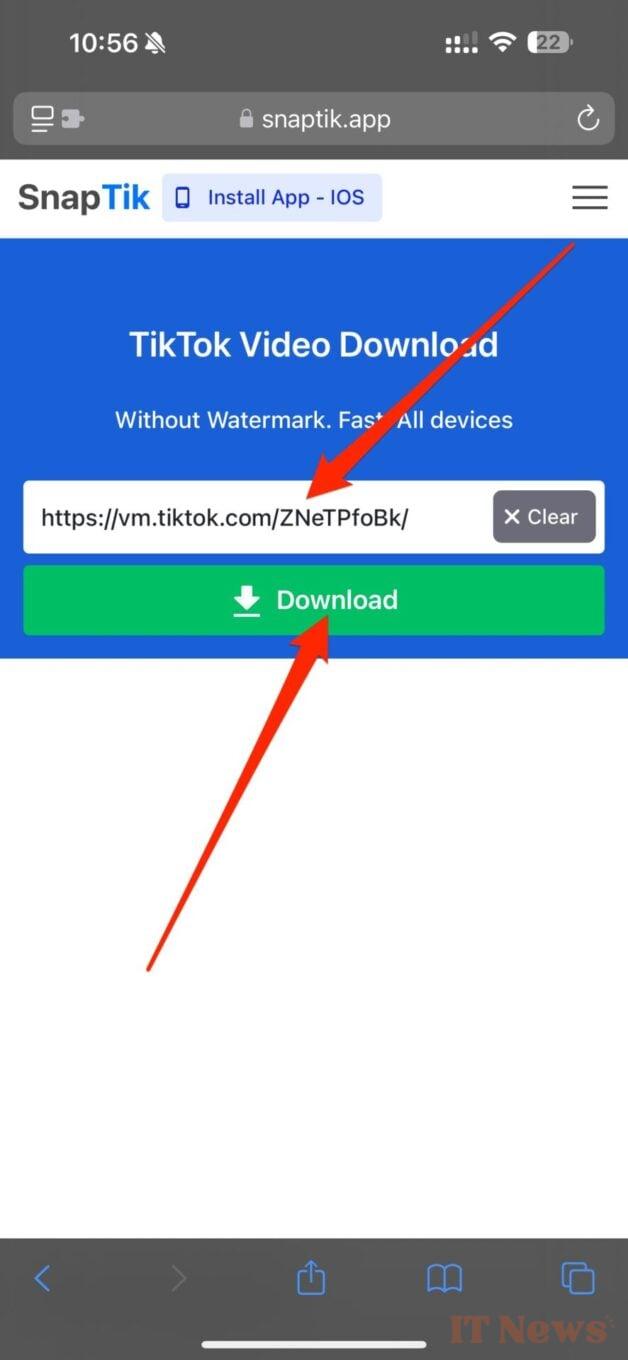
3. Download your TikTok video
Finally, press the Download button to start downloading the TikTok video, then in the pop-up that appears, press Download to save a local copy of the video.
This will then be available in the default download directory of your file manager.


0 Comments