
You may not know it, but in addition to being accessible from a web browser, a desktop application, and a mobile application for iOS and Android, ChatGPT is also accessible directly in WhatsApp.
Since December 2024, OpenAI has set up a number dedicated to its chatbot that can be contacted directly from instant messaging. You can thus communicate with ChatGPT in WhatsApp as you would with any loved one.
The cherry on the cake is that OpenAI has just further improved the integration of its ChatGPT in WhatsApp. In addition to communicating with ChatGPT via text messages, you can now send it voice messages and even submit images to it. OpenAI has even confirmed that it will soon be possible to link your ChatGPT account for advanced use with WhatsApp.
Here is everything you need to know to chat with ChatGPT directly in WhatsApp.
1. Add ChatGPT to your address book
Before you can communicate with ChatGPT in WhatsApp, you will first need to add the chatbot's number to your address book.
To do this, open the Phone app on your smartphone, then in the Contacts section, press the button to add a new contact. Enter the name of your contact, in this case ChatGPT, add their number 18002428478, and save the contact card.
For this American number, you do not need to add the country code at the beginning, just save it as is in the ChatGPT contact card.
2. Create a conversation with ChatGPT
Now open WhatsApp, and in the Chats tab, press the + button to create a new conversation. Then select ChatGPT from your contacts list.
3. Send your first message
You can now start chatting with ChatGPT by sending it text messages, just like you would with any loved one. The chatbot should then respond to you almost instantly.
4. Send a voice message
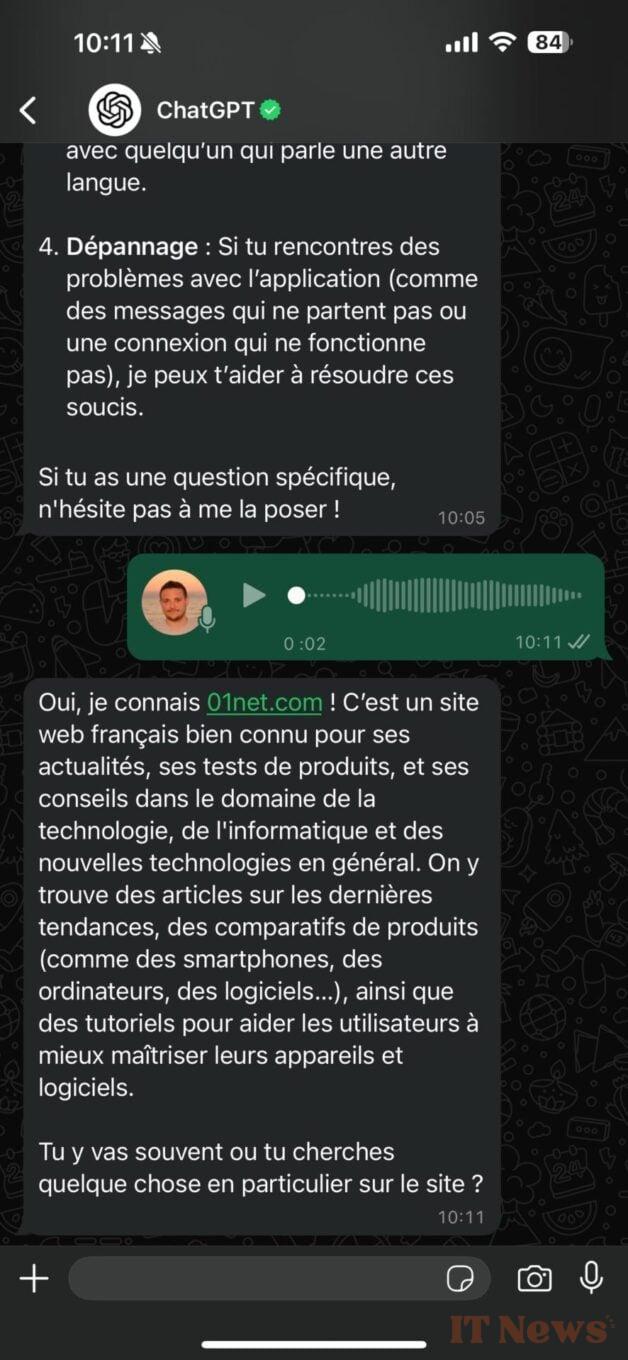
OpenAI has just announced two major new features in the use of ChatGPT on WhatsApp. The chatbot now knows how to respond to your voice messages on WhatsApp. So send him a voice message, and he will respond to you in a few moments with a text message.
5. Submit an image to ChatGPT
On WhatsApp, ChatGPT is also able to analyze the images you submit to it.
You can ask any question about an image you share with it, ChatGPT will answer you just as quickly with a text message.


0 Comments