
The iOS voice assistant is very useful for many reasons. For example, you can ask it to send you a message, start a timer, set an alarm, or save an event in the Calendar. Unfortunately, apart from performing certain specific tasks, Siri often struggles to provide relevant answers when you ask it about various subjects.
Never mind, Siri is not the only voice assistant out there. You can rely on other assistants, such as ChatGPT, which will be able to answer broader questions and even hold a conversation with you. Once these applications are installed on your device, it is very easy to create a shortcut to open them quickly to immediately start a conversation.
There are two possible methods for this: the first, which will be reserved for iPhone 15 Pro and later models, consists of programming the action button to open ChatGPT directly. The second method, which can be used on any iPhone, will allow you to launch either of these applications by tapping the back of the device. Here's how to do it.
How to create a shortcut to open ChatGPT?
1. Download Shortcuts
If you haven't already, start by downloading the free Shortcuts application. This application developed by Apple allows you to create scripts to automate certain tasks, but also to create shortcuts to various actions.
2. Create a shortcut to open an application
Now open the Shortcuts application, then in the Shortcuts main tab, press the + button displayed at the top right of the window. In the Search for actions field, type ChatGPT and then select the Open ChatGPT Voice option. Press OK to save your shortcut.
How to quickly open ChatGPT with the iPhone action button?
If you have an iPhone 15 Pro, iPhone 15 Pro Max or one of the new iPhone 16, your device has an Action button on its left edge. This can be programmed for various predefined actions. Among these, we find, among others, the possibility of activating silent mode or focus mode, turning on the flashlight, activating the camera, or even launching the recognition of a music with Shazam.
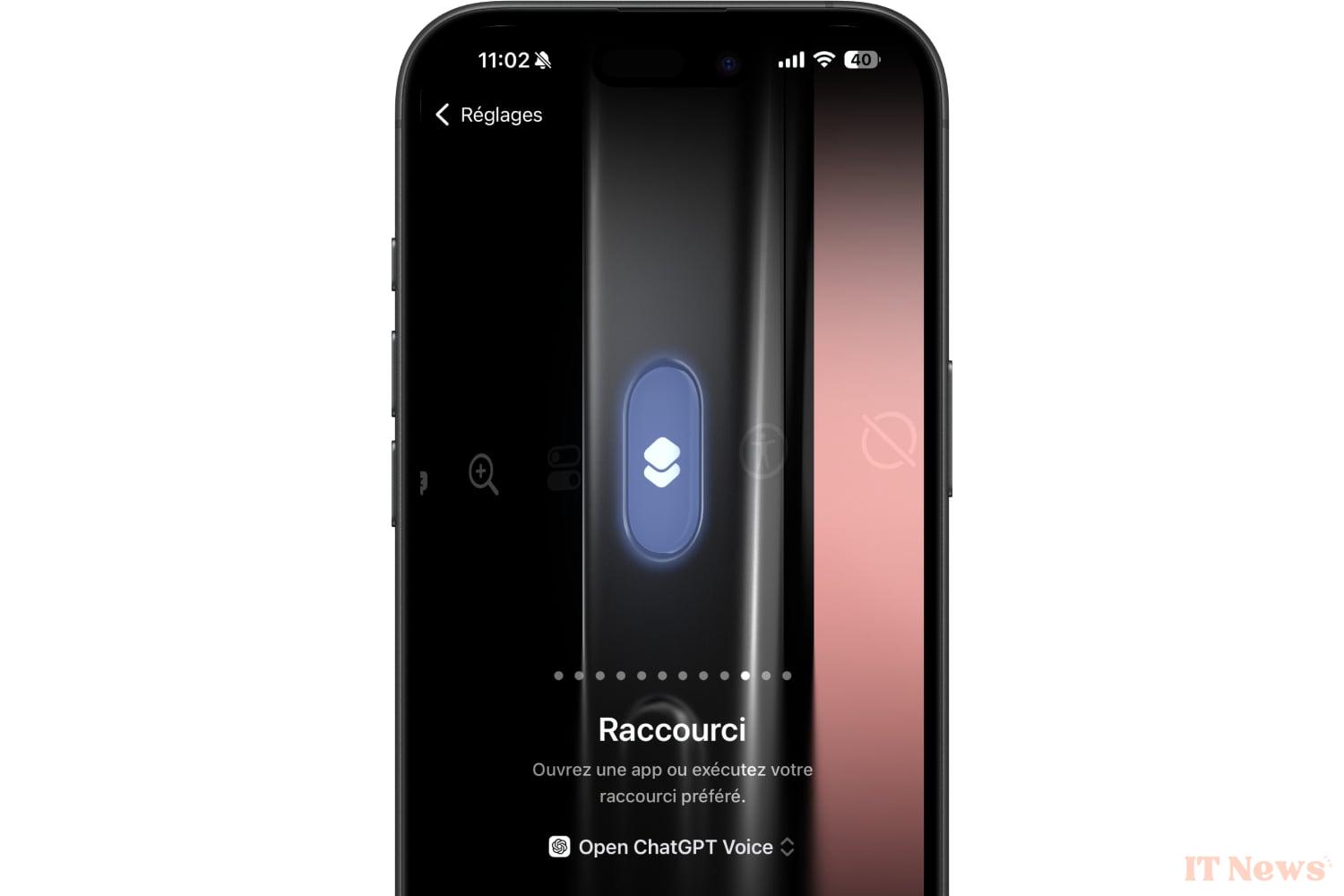
But the iPhone action button can also, and above all, be used to launch a shortcut that you have created in the Apple Shortcuts application. This is the particular feature that interests us here since it is what will allow you to launch the shortcut that you have just created to quickly open ChatGPT on your iPhone.
So open the iOS Settings, and go to the Action Button menu. Scroll through the options until you reach the Shortcut section. Then press Choose a shortcut. A Shortcuts exploration window should then appear. Select your Open ChatGPT Voice shortcut.
Now, when you briefly press and hold the action button on your iPhone, iOS will automatically open ChatGPT's conversation mode.
How to quickly open ChatGPT by tapping the back of your iPhone?
If your iPhone doesn't have an action button, you can still quickly run your shortcut to open ChatGPT in another way. iOS has a handy accessibility feature that lets you double- or triple-tap the back of your iPhone to launch a specific action. This is the feature we will use here to run our shortcut.
To do this, open iOS Settings, and go to the Accessibility menu. Then select Touch, then at the bottom of the menu, enter the Touch the back of the device section. Then choose Double tap or Triple tap (depending on your preferences), and scroll down the list of possible actions until you reach those concerning Shortcuts. Finally, select your Open ChatGPT Voice shortcut and close iOS Settings.
Now, when you tap the back of your iPhone twice (or three times), ChatGPT conversation mode will open automatically.


0 Comments