

With each new unwanted call on your iPhone, you probably always have the same reflex: use the blocking function integrated into iOS. Unfortunately, while this allows you to no longer be bothered by the number, this solution is often ineffective. Canvassers have very large ranges of numbers at their disposal that they can use to continue calling you.
To counter this, solutions do exist, but they are not always effective. Just take the example of the Bloctel platform. This allows you to register your number on a list that is supposed to protect you from commercial canvassing, but it seems that some canvassers do not care much about it and continue their business, against your will.
Because the latter have a very large range of telephone numbers that Arcep, the telecoms regulator, has nevertheless tried to contain. Last January, the authority set up a new numbering plan assigned to canvassers. A way of limiting abuse while allowing users to identify (more or less easily) calls linked to canvassing. Here is the list of number prefixes that canvassers must (in principle) use when calling you:
• Metropolitan France: 0162, 0163, 0270, 0271, 0377, 0378, 0424, 0425, 0568, 0569, 0948 and 0949
• Guadeloupe, St-Martin and St Barthélémy: 09475
• Guyana: 09476
• Martinique: 09477
• Reunion: 09478
• Mayotte: 09479
Furthermore, if some canvassers can scrupulous still use them, mobile numbers starting with 06 or 07 can in principle no longer be used by commercial canvassing platforms since January 1, 2023.
Since the prefixes of the numbers used by canvassers are known, it should normally be quite simple to block them. Unfortunately, Apple has not provided any native functionality in its phone application to block entire ranges of numbers used for commercial canvassing.
Read also: Android: how to block unwanted number ranges linked to commercial canvassing
This is exactly what the Begone application offers. This free application has also evolved a lot in recent months. Because while it previously required manually entering all the prefixes and their variants including +33, it now offers to directly download community lists. Enough to allow you to more quickly block unwanted calls from French numbers, but also from foreign numbers. Here's how to set it up to block number ranges dedicated to solicitors.
1. Download Begone
Go to the App Store to download Begone. This app is free, does not contain any ads and does not collect any data according to what is indicated on the App Store. It works like any third-party call blocker and allows you to create blacklists of entire ranges of numbers.
2. Authorize Begone
For Begone to block unwanted calls on your iPhone, you must first authorize the app in the Phone app settings. To do this, open the Settings of iOS, then go to the Apps menu. Then select Phone and enter the Call blocking and identification section. Activate Begone.
3. Import a block list
Now open the application and go to the Browse community lists menu. Scroll through the different lists displayed and select the Soldier numbers for Metropolitan France list. Then press the Install List button and confirm your choice by pressing Yes in the pop-up that appears at the bottom of the screen.
Now that your list is installed, Begone must import the 30 million numbers associated with the prefixes used by the canvassers you wish to block. Press the OK button. Since the update of blocked numbers is significant, the procedure will take several minutes. Please wait while Begone imports all the numbers to be blocked.
Here is the list of numbers that you should find yourself blocking on your iPhone:
- +33 1 62 ## ## ## / 01 62 ## ## ##
- +33 1 63 ## ## ## / 01 63 ## ## ##
- +33 2 70 ## ## ## / 02 70 ## ## ##
- +33 2 71 ## ## ## / 02 71 ## ## ##
- +33 3 77 ## ## ## / 03 77 ## ## ##
- +33 3 78 ## ## ## / 03 78 ## ## ##
- +33 4 24 ## ## ## / 04 24 ## ## ##
- +33 4 25 ## ## ## / 04 25 ## ## ##
- +33 5 68 ## ## ## / 05 68 ## ## ##
- +33 5 69 ## ## ## / 05 69 ## ## ##
- +33 9 48 ## ## ## / 09 48 ## ## ##
- +33 9 49 ## ## ## / 09 49 ## ## ##
- +33 9 37 ## ## ## / 09 37 ## ## ##
- +33 9 38 ## ## ## / 09 38 ## ## ##
- +33 9 39 ## ## ## / 09 39 ## ## ##
Rest assured, although the application must load, in total, nearly 30 million numbers to block, the process is not as long as one might imagine. It will not take you more than ten minutes to set up your block lists. All the numbers in the ranges that you have decided to block will be automatically directed to your voicemail when they try to reach you on your iPhone.
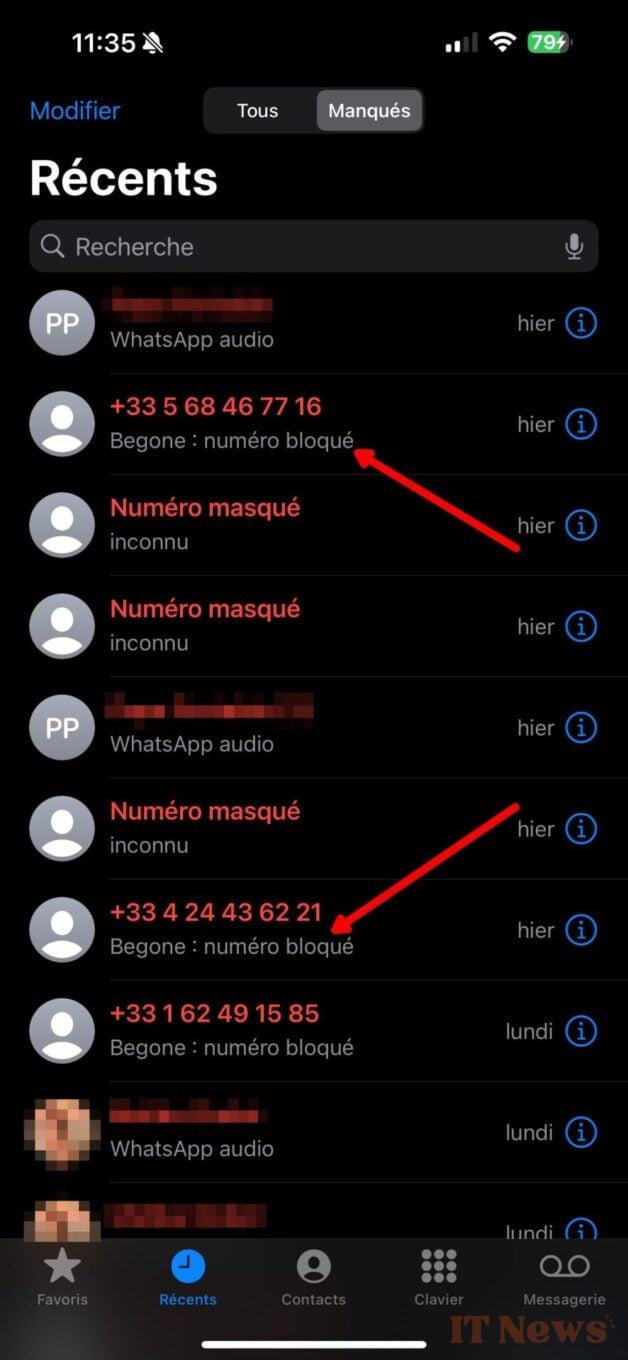
Please note that if a number that you have blocked in Begone is not actually an unwanted number, you can easily unblock it remove it from the block. To do this, you will need to add it to the whitelist that you can create by going to the Allowed menu.


0 Comments