

With the arrival of One UI 7, Samsung is introducing new features and adjustments to its Android 15-based interface. Among the notable changes, the home screen is undergoing a change that might surprise some users: the reduction in the number of grids available to organize apps. Those accustomed to 4×5 or 5×5 configurations will have to find an alternative, at the risk of seeing their current layout modified after the update.
Fewer options for the home screen grid on One UI 7
Until One UI 6, Samsung offered several grid layouts for the home screen: 4×5, 4×6, 5×5 and 5×6. With One UI 7, only the 4×6 and 5×6 grids are maintained by default. This change may impact users who prefer older configurations, especially when transferring data to a new device, such as the Galaxy S25 Ultra, or after updating to One UI 7.
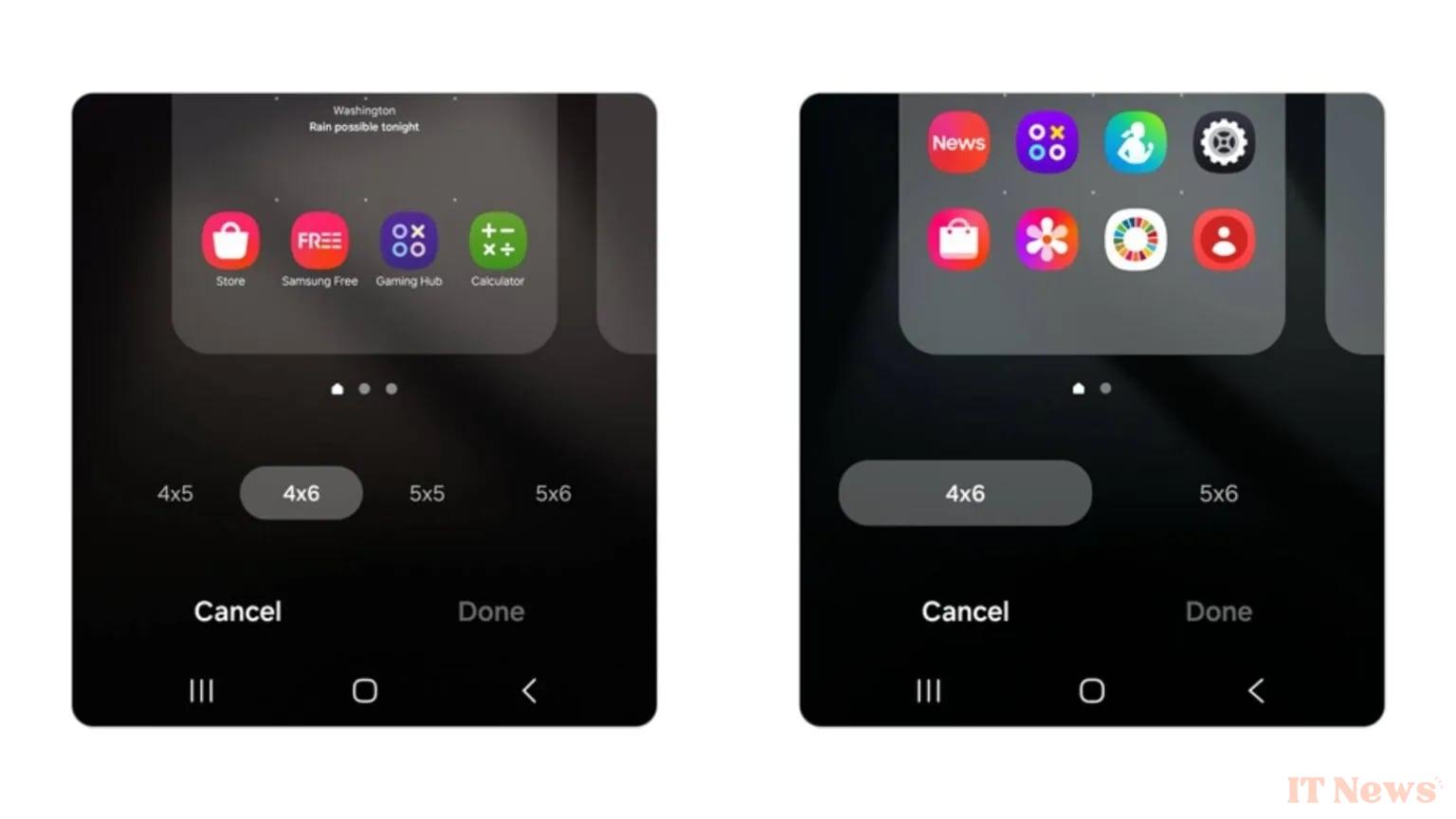
Samsung justifies this reduction by a desire to simplify customization and improve the general aesthetics of the interface. However, for those who wish to keep the old grids, there is an alternative solution.
The Good Lock application to the rescue for more customization
Users attached to the 4×5 or 5×5 configurations will be able to find these options by going through Good Lock, an official Samsung application dedicated to advanced customization. Its Home Up module not only restores these grid formats, but also offers additional options, such as the free placement of icons and widgets.
Good news, Samsung has already updated Good Lock to ensure its compatibility with One UI 7. Once the update is installed, you will simply need to download or refresh the application (from the Samsung Galaxy Store) to find an organization similar to that of One UI 6.
Source: Android Authority


0 Comments