
The global deployment of the Good Lock application via the Google Play Store (and no longer just the Galaxy Store) was one of Samsung's promises for 2025, as a sideline for One UI 7. But the Korean company had also mentioned a remodeling of its application. This is now done with version 3.0.10.1.
Winter cleaning
For those who are not familiar with the Samsung ecosystem, Goog Lock allows you to easily customize One UI. It offers a multitude of features designed to meet specific user needs.
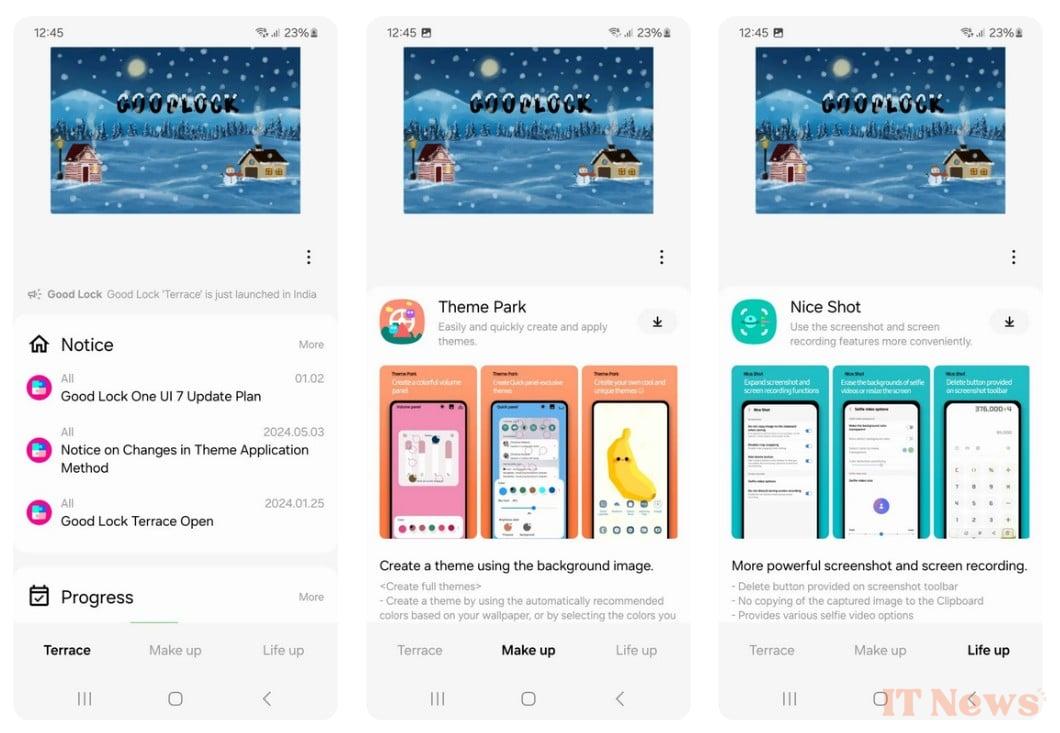
Samsung has carried out a major overhaul of the application's interface, which had barely changed since 2018. Needless to say, a facelift was necessary to bring it up to date.
First of all, the screenshot below reminds us of what the old version of Good Lock looked like.
Here it is after its renovation. The source believes that it is better organized and more modern.
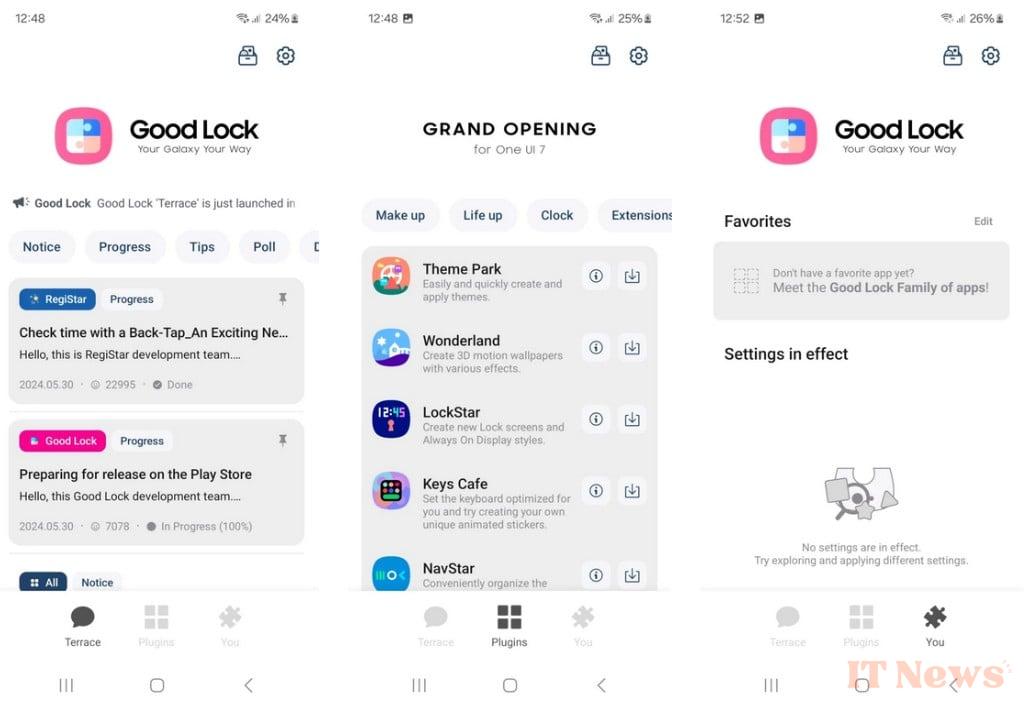
First of all, gone is the large, very material design banner that occupied the upper third of the screen. Now, the interface is organized around three main tabs (called Terrace, Plugins and You in the English version).
Plugins merges the old Make Up and Life Up sections. Customization of applications is done here. We give you a thousand guesses, the "I" button located next to each application gives more information about it.
Concerning Terrace, no change, it remains the nerve center that presents updates to Good Lock and its modules.
As for the You tab, it includes two sections: Favorites and Settings. The titles are probably self-explanatory. But just in case, this is where you pin the applications you use frequently (to access them easily); manage settings.
Wallpapers and Widgets
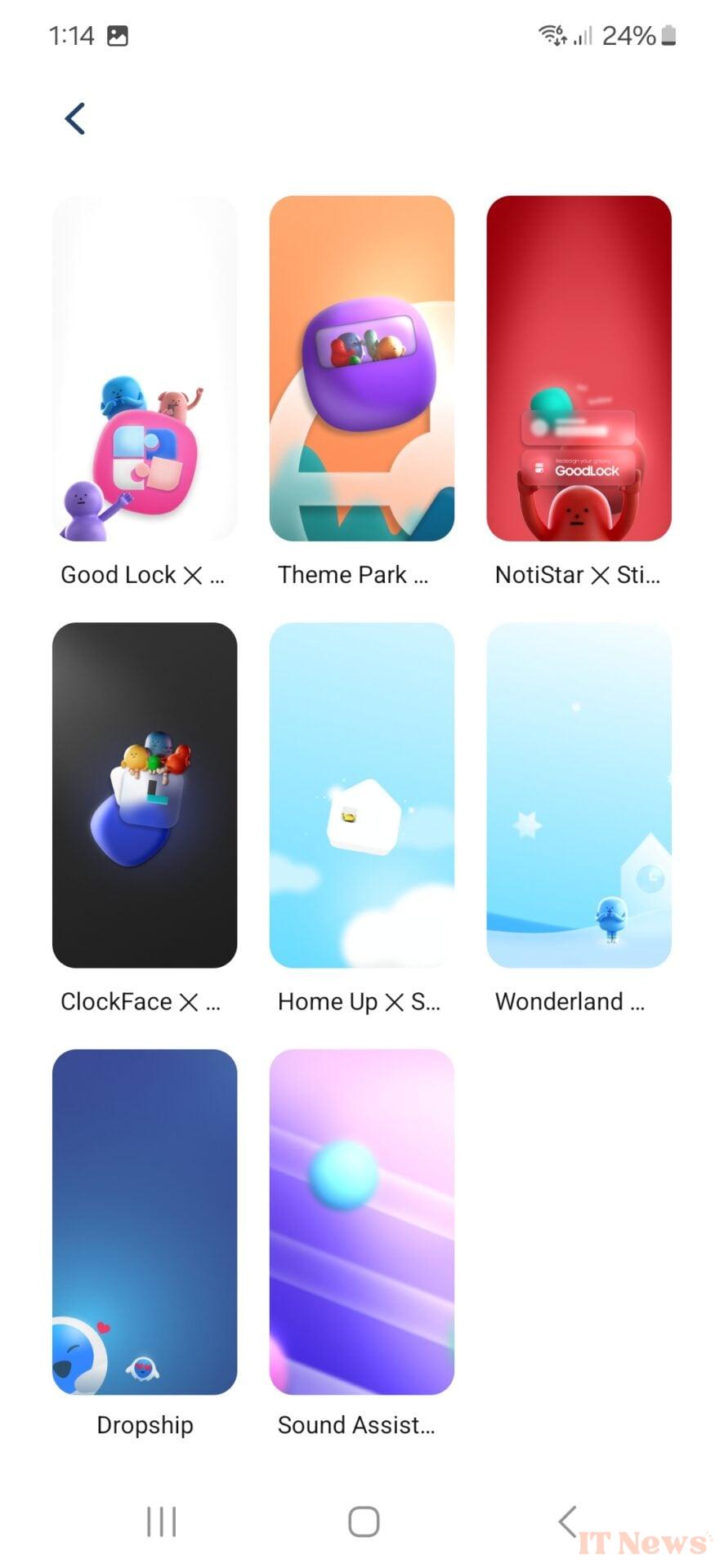
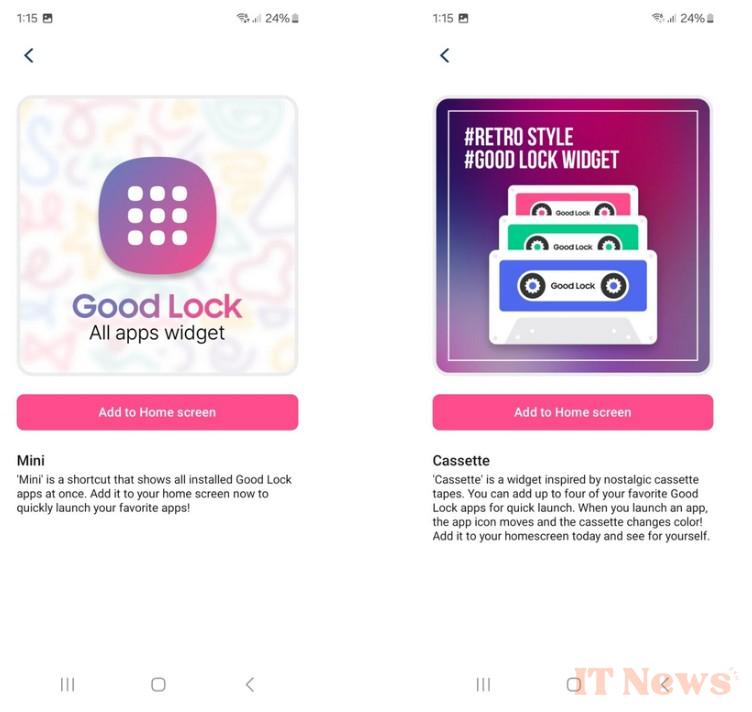
For the sake of completeness, Good Lock 3.0.10.1 adds two new widgets and eight wallpapers. You can access it via the new "Gift Box" button in the upper right corner.
Samsung describes Mini as a shortcut that displays all installed Good Lock apps. The company recommends adding it to the home screen "to quickly launch your favorite apps!"
For Cassette, it's a widget that will appeal to nostalgics. They can melancholy up to four of their Good Lock apps. They will then be launched with a colorized cassette animation.
This version of Good Lock is available for download on the Galaxy Store.
Source: SamMobile


0 Comments