

If you recently bought a PC with the Copilot+ label, you probably noticed the presence of a new key on its keyboard. A few months ago, Microsoft decided to create a new key entirely dedicated to Copilot, on the keyboard of Copilot+ PCs, whose configuration is tailored for artificial intelligence.
This new keyboard key not only takes up space on keyboards, but its interest remains very limited for the time being. Microsoft has, on several occasions, modified the operation of its intelligent assistant, changing it from a native application integrated into Windows to a simple Web App, before finally going back recently for better integration.
In any case, the relevance of such a key, entirely dedicated to a feature that some users have no use for, is difficult to justify. Microsoft finally figured it out and announced a few weeks ago that it would be possible to assign another functionality to the Copilot key on PCs that have one. Here's everything you need to know to remap it and make it truly useful again.
1. Go to Settings
Start by opening Windows 11's Settings. To do this, use the Windows + i keyboard shortcut directly.
2. Change the customization options
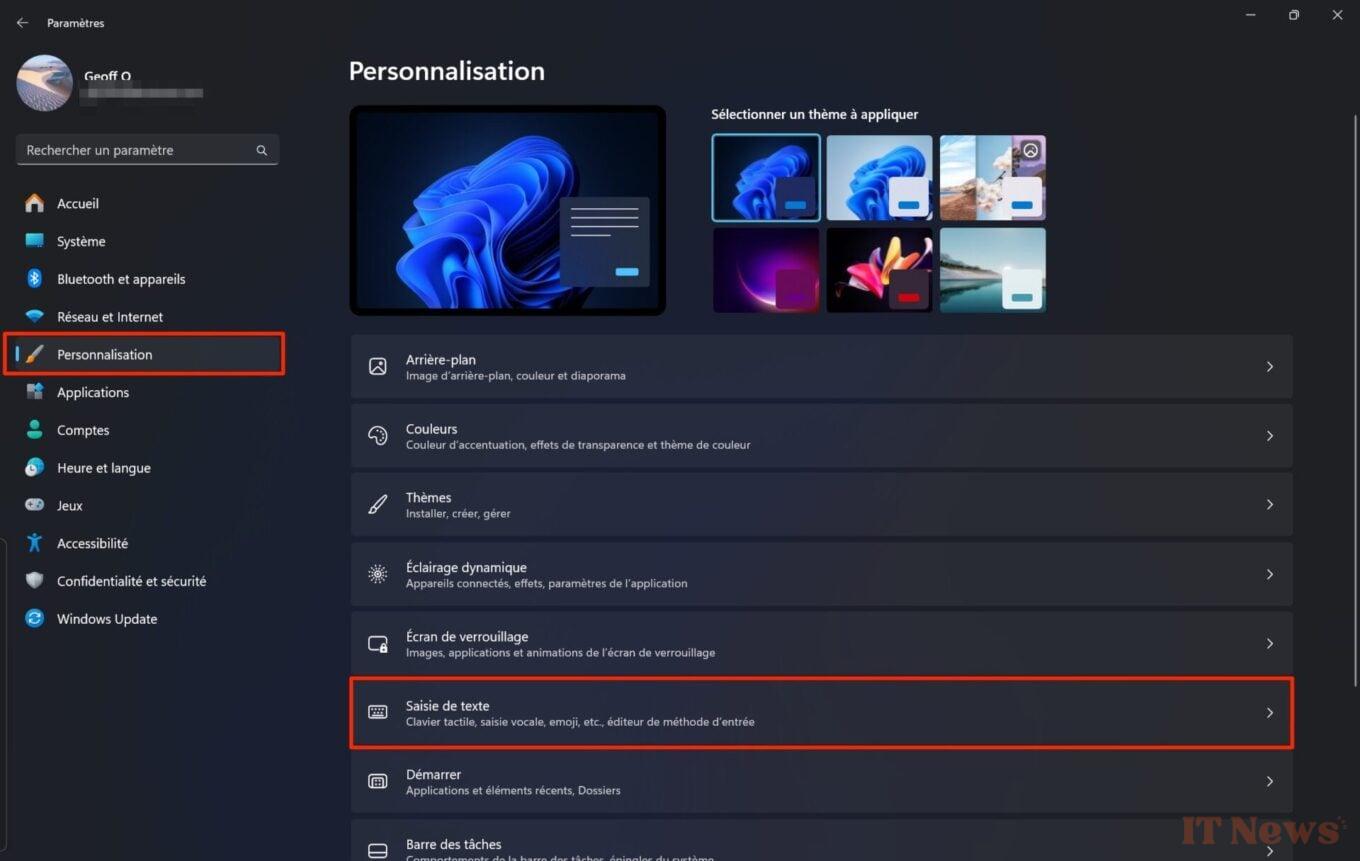
Once in the operating system settings, select Personalization in the left column, then enter the Text input section.
3. Change the Copilot key assignment
Locate the line Customize the Copilot key on the keyboard, and click on the associated drop-down menu. Then choose Customize, then in the pop-up that appears on the screen, select the application that you want to open when you press the Copilot key.
Finally, click on Select to validate your choice. Please note that only applications downloaded from the Microsoft Store will be offered to you here.
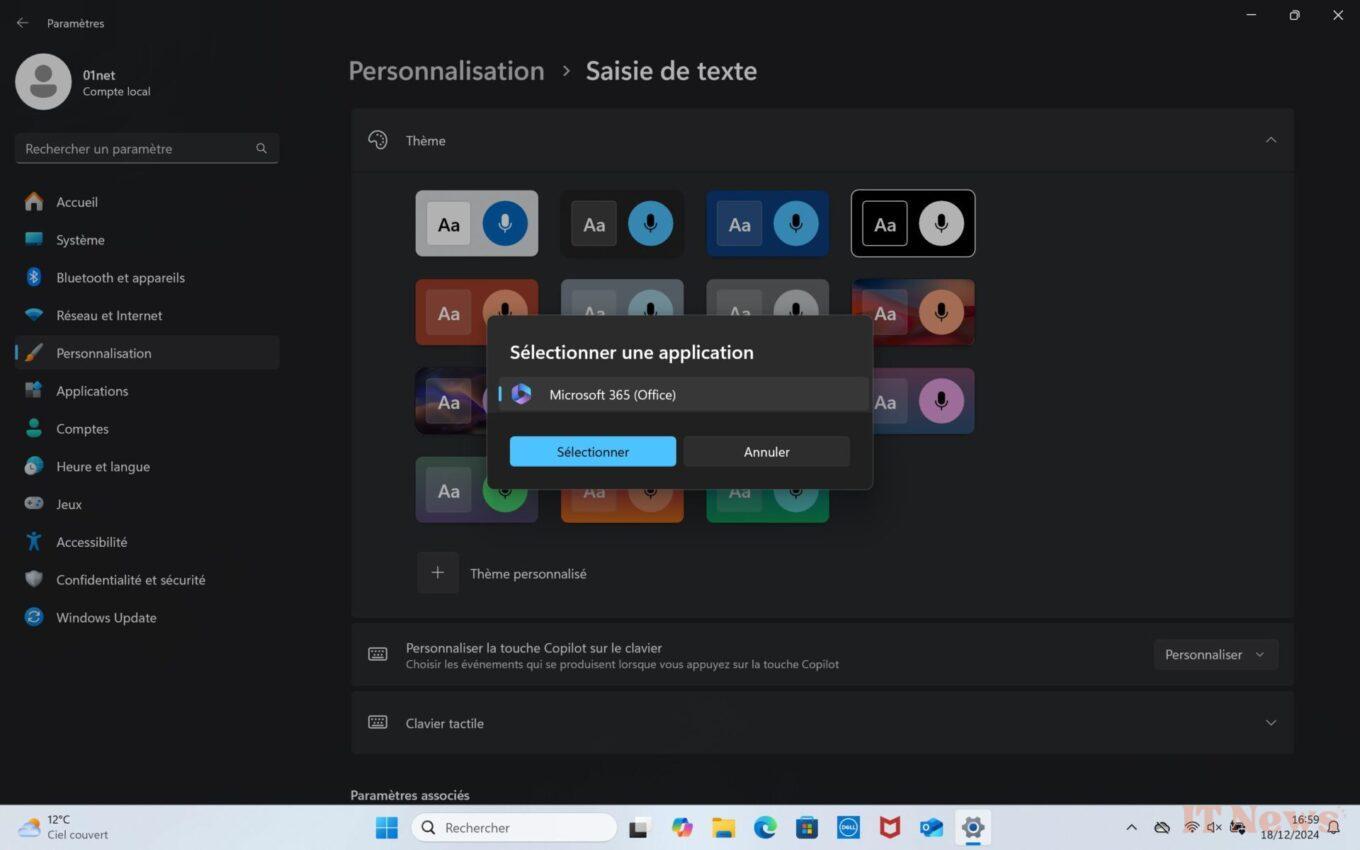
Reassigning the Copilot key is only possible with apps using a signed MSIX format package.


0 Comments