

During November, Microsoft tested a number of new features powered by artificial intelligence in Paint with its Insider program members. Among these features, a magic eraser that allows you to take advantage of a generative erasure function. As noted by Windows Latest, this function is now available to all users.
Erase unwanted elements from your photos directly in Paint
Until now, the tools for performing generative deletion were the preserve of specialized image editing applications. The availability of this feature, which allows you to delete an element and automatically fill the gap left with pixels added by artificial intelligence, should allow the greatest number of people to enhance photos ruined by unwanted elements. To take advantage of it, simply open the image you want to clean in Paint, then, using the Selection tool, select the area you want to erase. Once the work area is delimited, two options will be offered to you: the Generative Eraser, and the function to Remove Background.
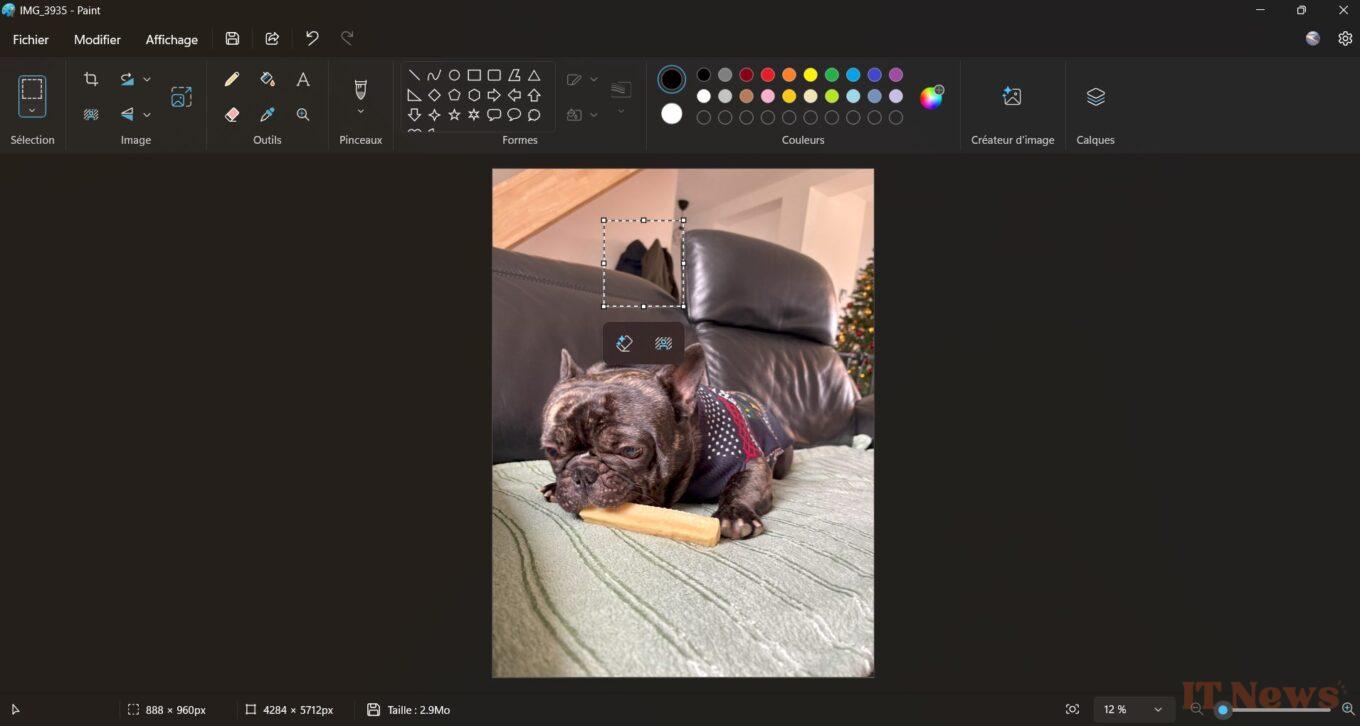
The first, the one that interests us here, works in one click. After selecting it, Microsoft's AI will analyze the area and, after a few seconds, erase the unwanted element before filling the hole left in a (more or less) harmonious way with pixels corresponding to the colors and the direct environment.
Note that it is possible to use the generative deletion function with more precision by directly selecting the Eraser tool from the Paint toolbar. Then simply click on the Generative Eraser module displayed at the bottom of the cursor to change the size of the tool. You can then adjust your selection using the + and - buttons.
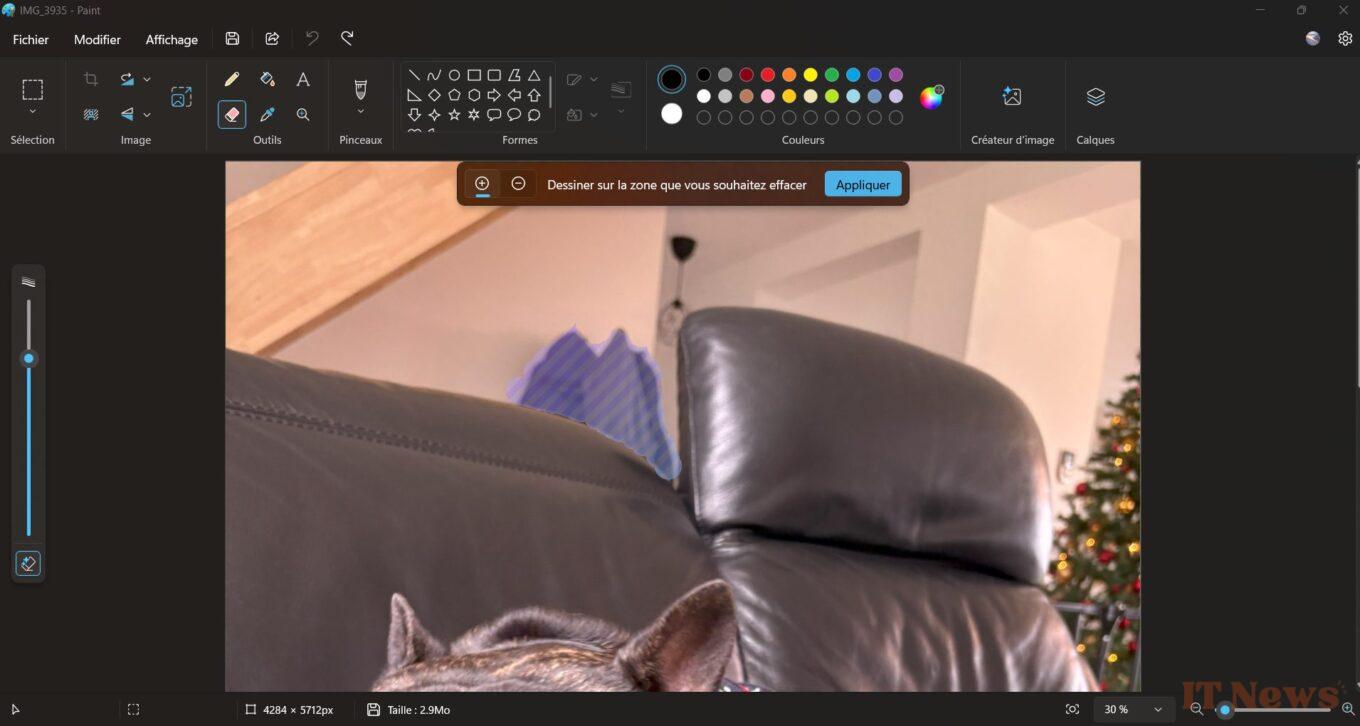
Once the deletion area is perfectly defined, clicking on the Apply button will give the hand to Microsoft's AI. It will then take care of erasing the element and filling the hole left with pixels corresponding to the surrounding colors. Please note that the process can be more or less long, but generally requires a good minute before being finalized.
Source: Windows Latest


0 Comments