

It's now confirmed. Gemini, Google's AI assistant, will soon be directly integrated into the Chrome browser. The information was revealed in a slideshow broadcast during the trial between the United States and Google, accused of abusing its dominant position.
Gemini Live will arrive in Google Chrome on Windows
This slideshow, a truncated version of which was put online on the website of the American Department of Justice, has the merit of being quite clear about Google's intentions.
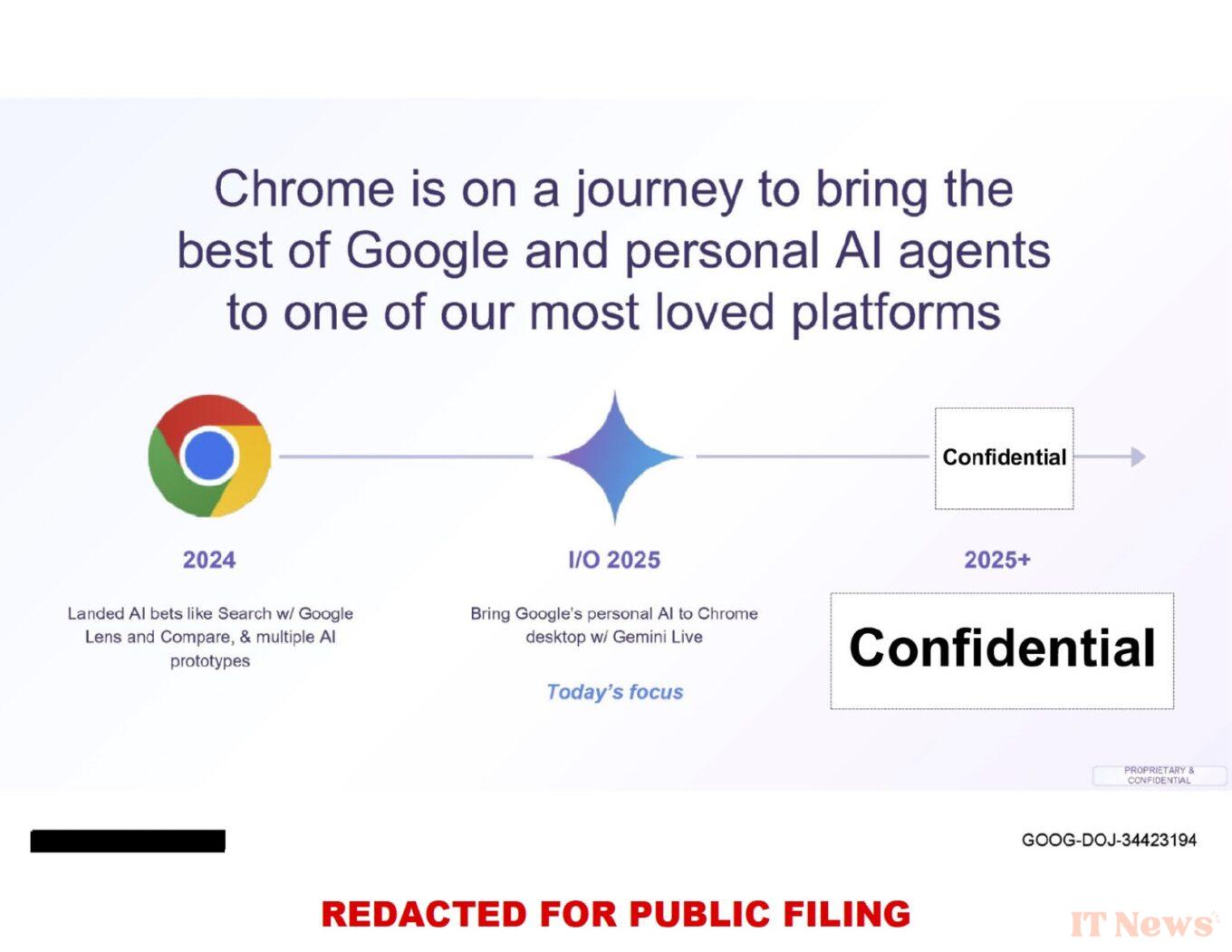
In addition to the clear intention to integrate Gemini Live into the desktop version of Google Chrome, the slideshow reveals the roadmap for the deployment of AI in the browser. Google explains that it has initiated, in 2024, the deployment of basic AI functions like Google Lens in the search function as well as in the comparison tools.
The Mountain View firm then indicates that it plans to announce the arrival of Gemini Live in the desktop version of Chrome at Google I/O 2025, its annual conference dedicated to developers which will take place on May 20 and 21. Other new AI features, still confidential for the moment, should also arrive in the browser later this year.
Google wants to compete with Microsoft's Copilot in Edge
To integrate Gemini Live into Chrome, Google would rely on a model quite similar to the one used by Microsoft with Copilot in Edge. Spotted by Windows Latest, a post published in Chromium's development tracking tool mentions the integration of Gemini into Chrome on Windows.
Google's AI agent, identified under the code name Glic, would take the form of a widget that would open in a side panel, with the possibility of detaching it into a resizable remote window. A priori, the module could also work independently of Chrome and thus be used as a standalone application under Windows 11. It would take the form of a clickable icon, displayed in the taskbar icons.
In March, leaker Leopeva64, who is used to analyzing pre-release versions of Chrome, revealed images of what the integration of Gemini Live with Google's web browser should look like under Windows 11.
Source: Windows Latest


0 Comments