
iOS 26 has officially been unveiled, and there are quite a few new features. The next major update to the iPhone's operating system introduces a brand new interface, Liquid Glass, and many other new features. Among these, Apple has, for example, completely overhauled the Phone app and introduced a number of new functions powered by Apple Intelligence. But iOS 26 also introduces several new features in the iPhone's Settings. One of these concerns the device's battery life management module, whose interface has also been revised. Now more comprehensive, it displays in detail the impact of your iPhone's use on its battery life.
A detailed battery life report
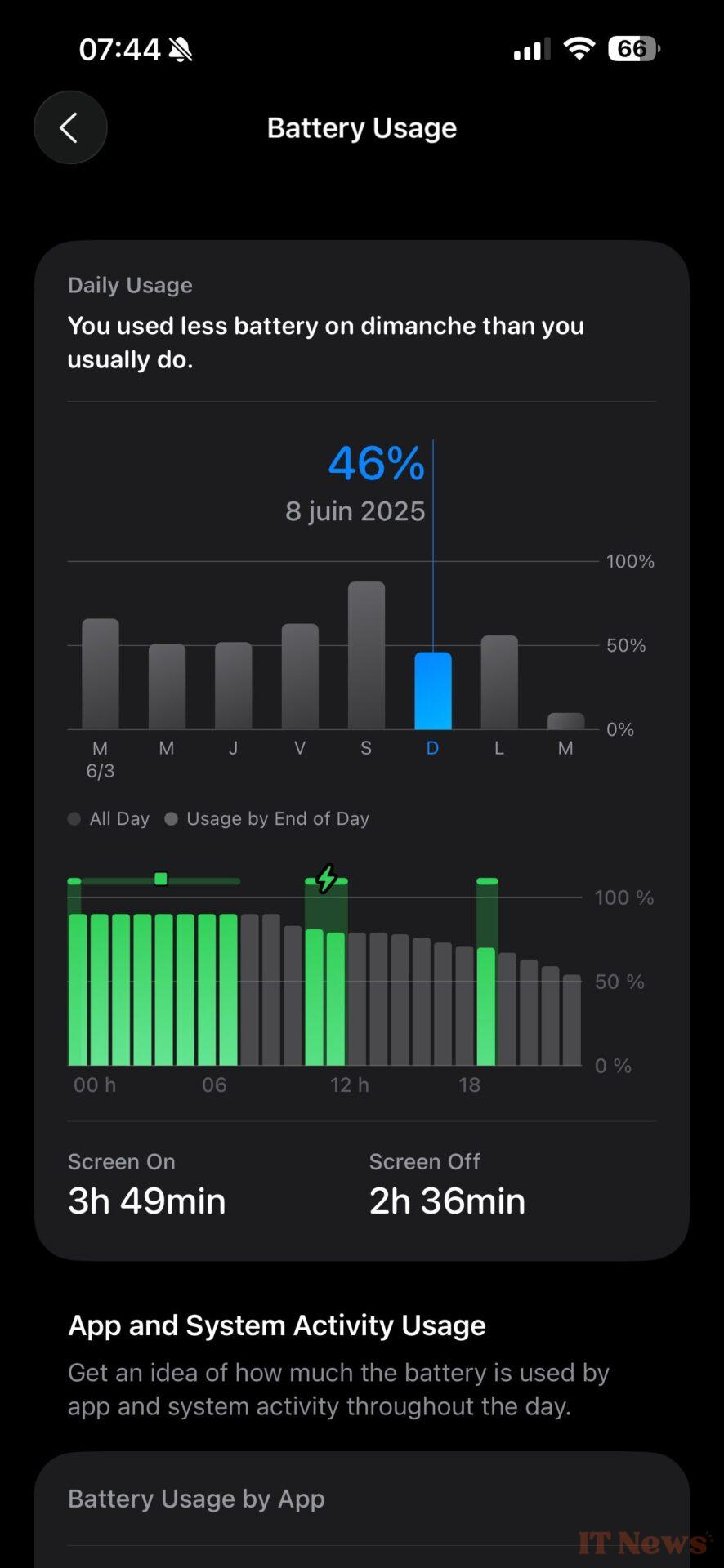
At the top of this new battery management interface, iOS 26 displays the device's remaining battery life and indicates the time you last charged your iPhone. Below, iOS 26 no longer displays usage statistics for the last 24 hours or ten days.
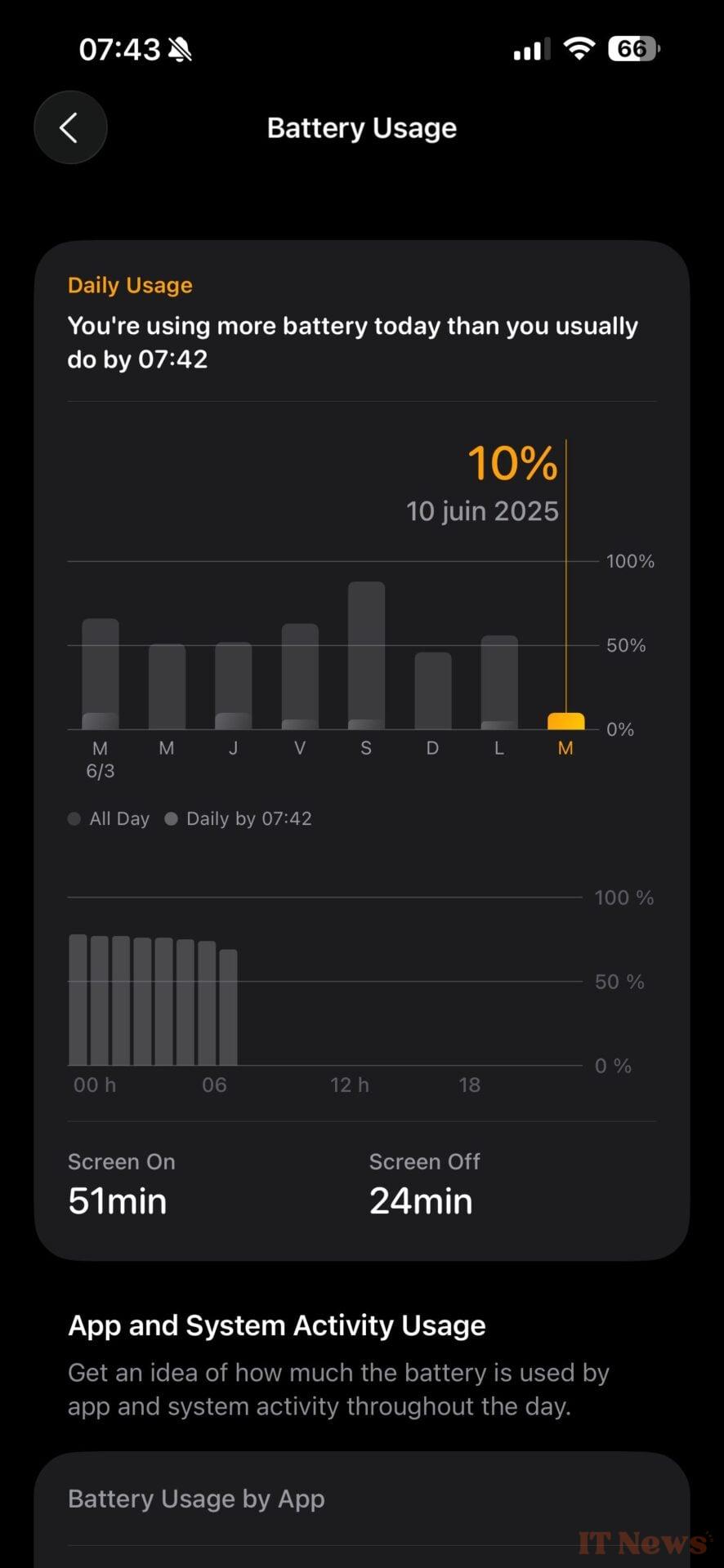
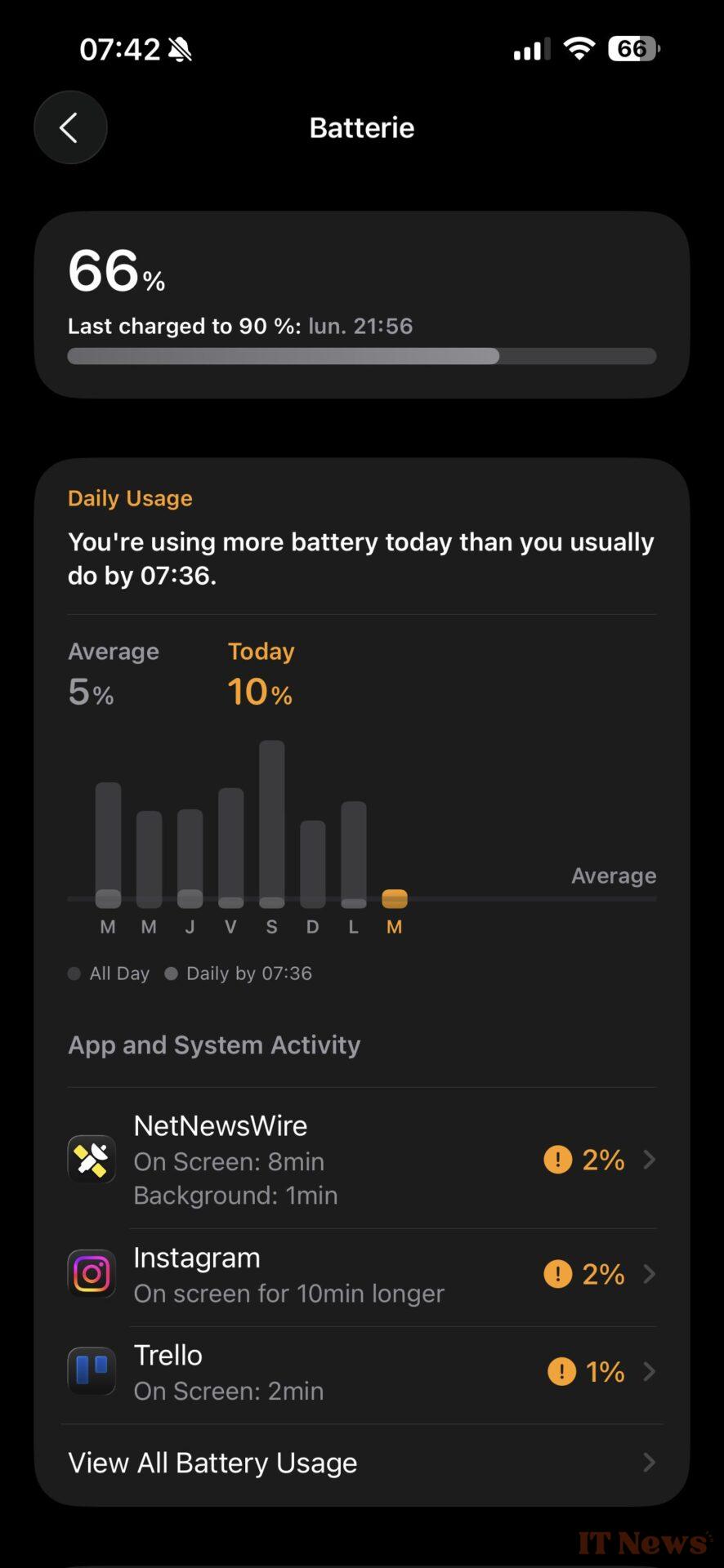
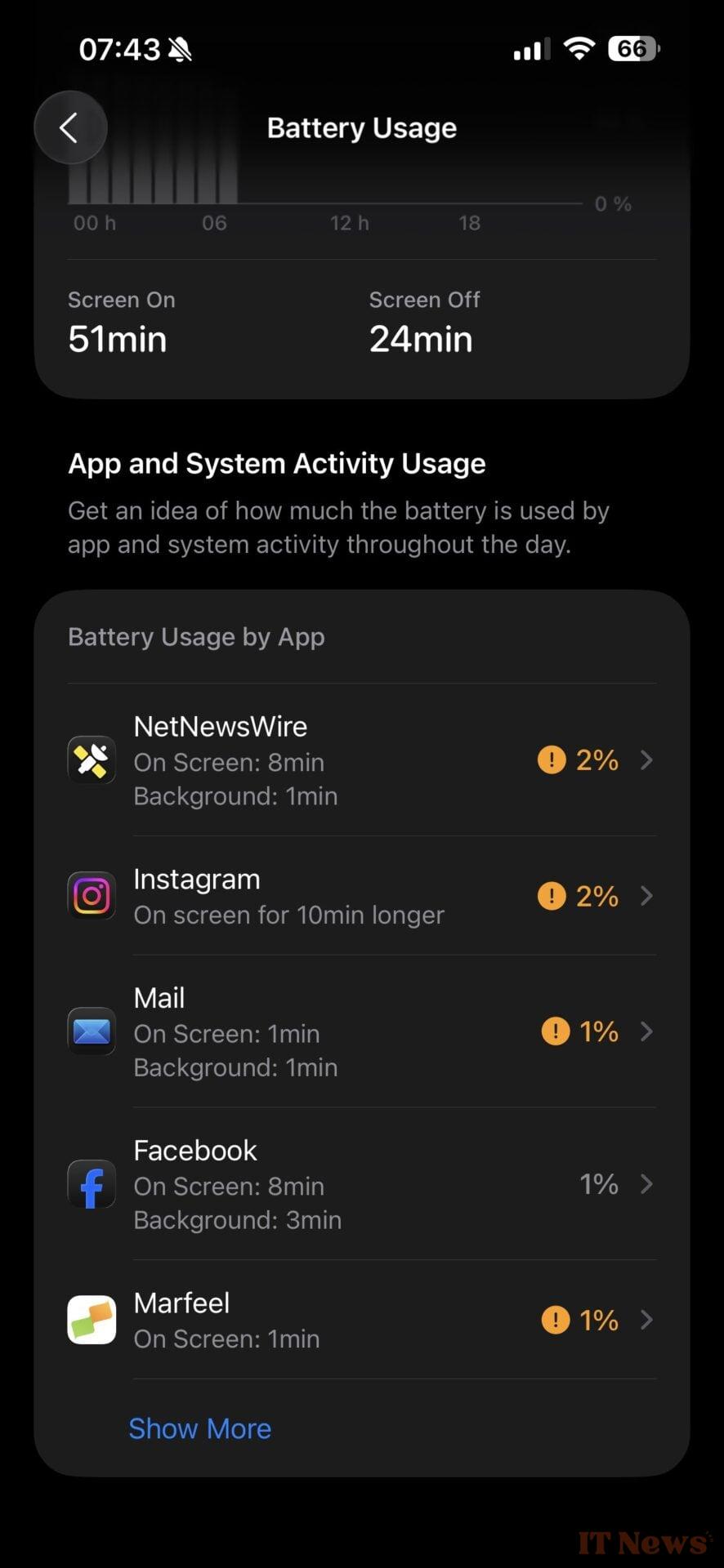
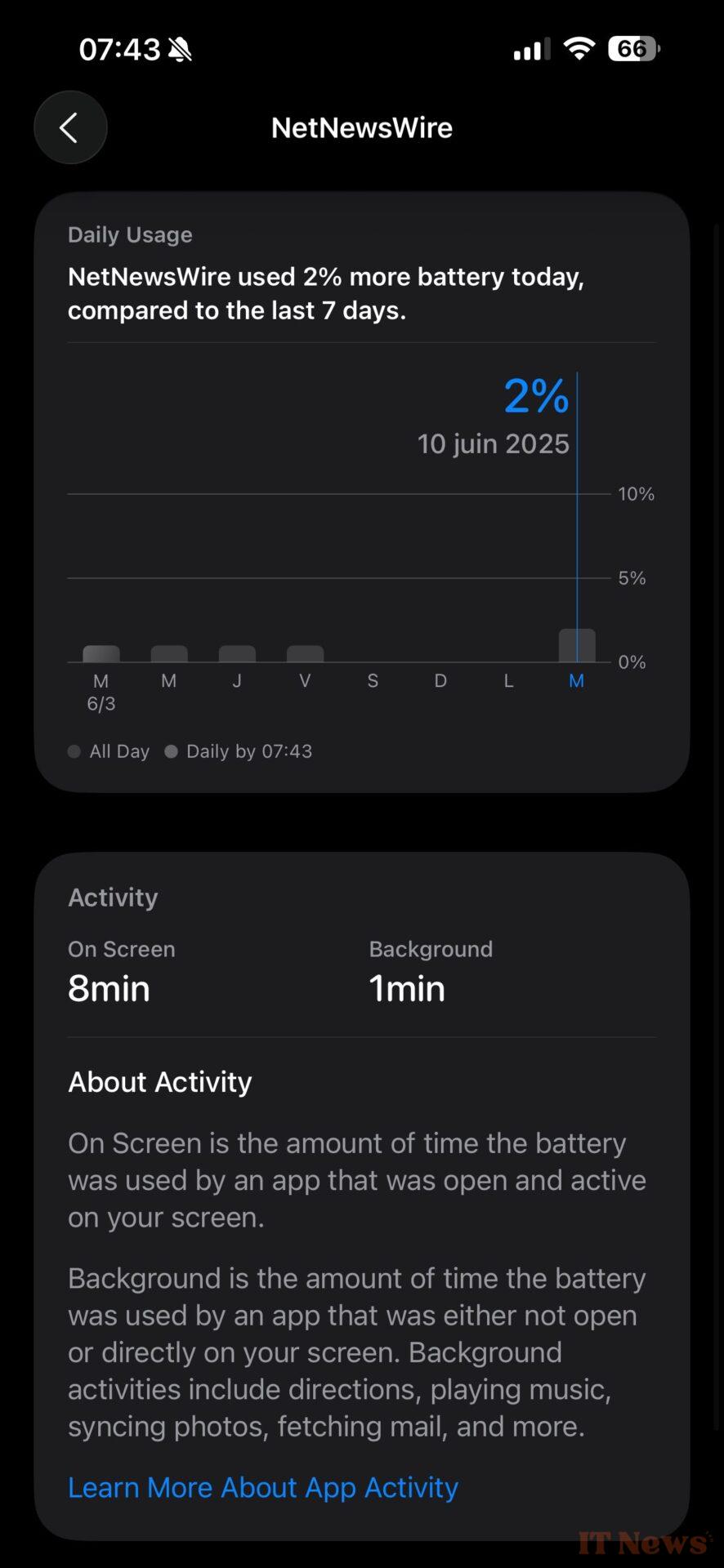
Instead, you will find a weekly report in which you can see your average daily usage. In detail, iOS 26 tells you if you are using the device's battery more than usual and records the impact of each application on battery life.

A new energy saving option
For the rest, the battery health section remains unchanged, as does the menu for limiting charging. Apple has, however, introduced a new option within the Power Mode menu. You can now enable an "Adaptive Power" option, which will automatically adjust your iPhone's performance if battery usage is higher than usual.

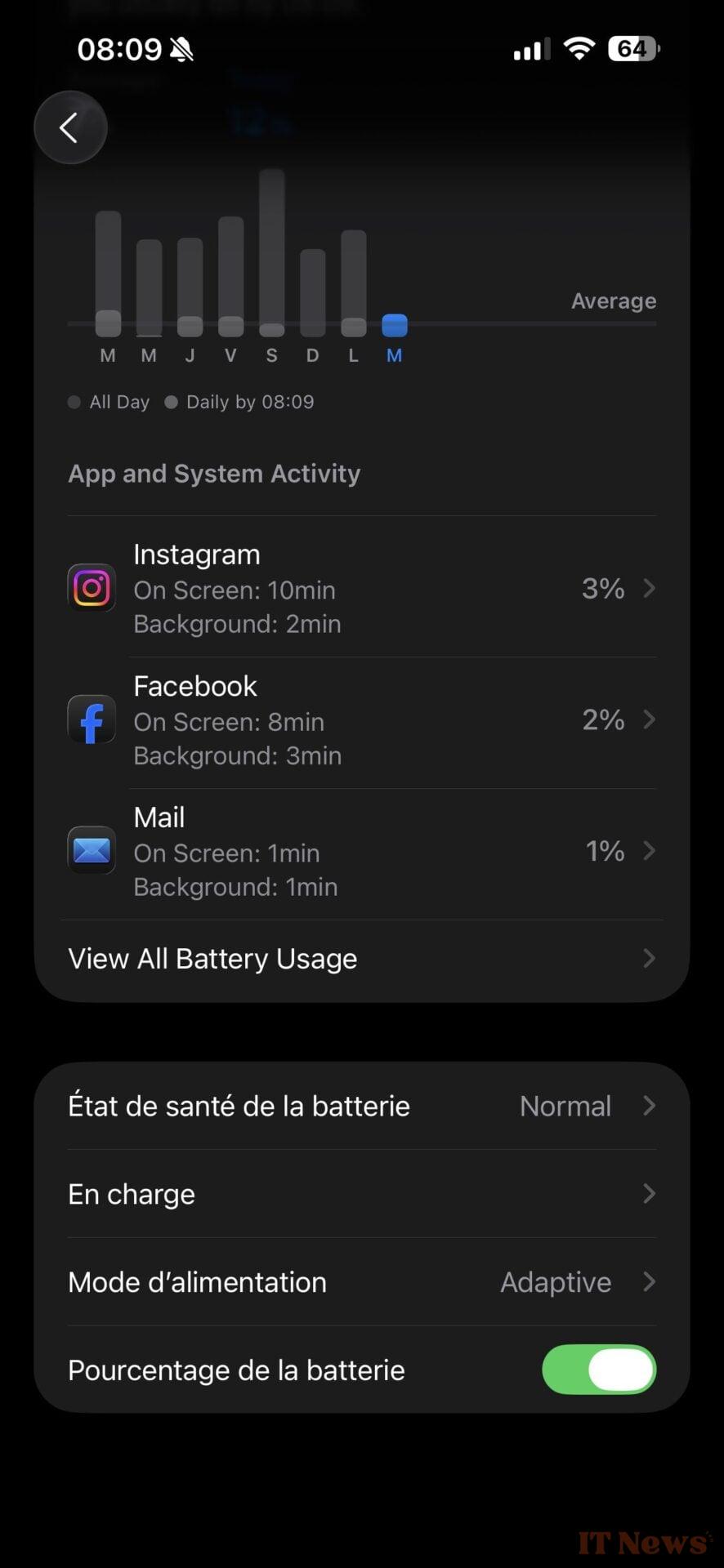
Its goal? To extend your iPhone's battery life as much as possible to avoid running out of power in the middle of the day. The option can, for example, automatically reduce the screen brightness to extend the iPhone's battery life. Note that this new option complements Power Saving Mode, which temporarily reduces background activity as soon as the battery drops below 20% battery life.
iOS 26 is already available for download in beta. However, this is currently primarily aimed at developers due to its very early stage of development. If you're interested, you can install it on your iPhone now, but at your own risk.


0 Comments