

Our smartphones are now a real source of addiction, whether it's because of social media, streaming apps, or even video games. Like many users, you may be tired of spending an insane amount of time on your device. So here's how to make it more "dumb" and less addictive with a few tweaks.

As we know, our smartphones can quickly turn into an endless source of distractions and addictions. Between Shorts on YouTube, Reels on Instagram, TikTok videos, tweets on X or streaming apps and video games, we can suddenly spend a considerable amount of time glued to our device screen.
To give you an idea of the scale of the phenomenon, a study published in 2023 proved that a third of French people spent more than 5 hours a day in front of screens (TV, tablet, smartphone, etc.). And unsurprisingly, this practice is not without consequences for health:
- reduced sleep quality
- harmful effects on mental health
- digital eye strain
- computer vision syndrome (dry eyes, blurred vision, headaches, neck and back pain, etc.)

The method to make your smartphone less “smart”
For a few years now, many users have decided to do something to stop this phenomenon by opting for a Feature Phone. In other words, phones designed exclusively for calling and sending messages. However, this is a radical solution, which may not suit everyone.
Why is this? Quite simply because not everything on our smartphones is to be thrown away. For example, we appreciate being able to find our way easily thanks to GPS apps, being able to take quality photos, or staying in touch with our family via WhatsApp or FaceTime. The idea is therefore to find the best of both worlds. To do this, you just need to make your smartphone a little less “smart” with a few tweaks.
Clean up your apps
Without realizing it, over time, you can end up with a completely stupid number of apps on your smartphone. Personally, my device has no fewer than 180… Do I use each of them every day? Absolutely not, and that's probably the case for you too.
The first step to making your phone less “attractive” is to do a major spring cleaning of your app library. First, don't hesitate to clear out all unused apps:
- In your smartphone's settings, look for the Applications
- In the General section, then tap on Unused Apps to access the list of all the apps that haven't been launched for several weeks
- Delete them
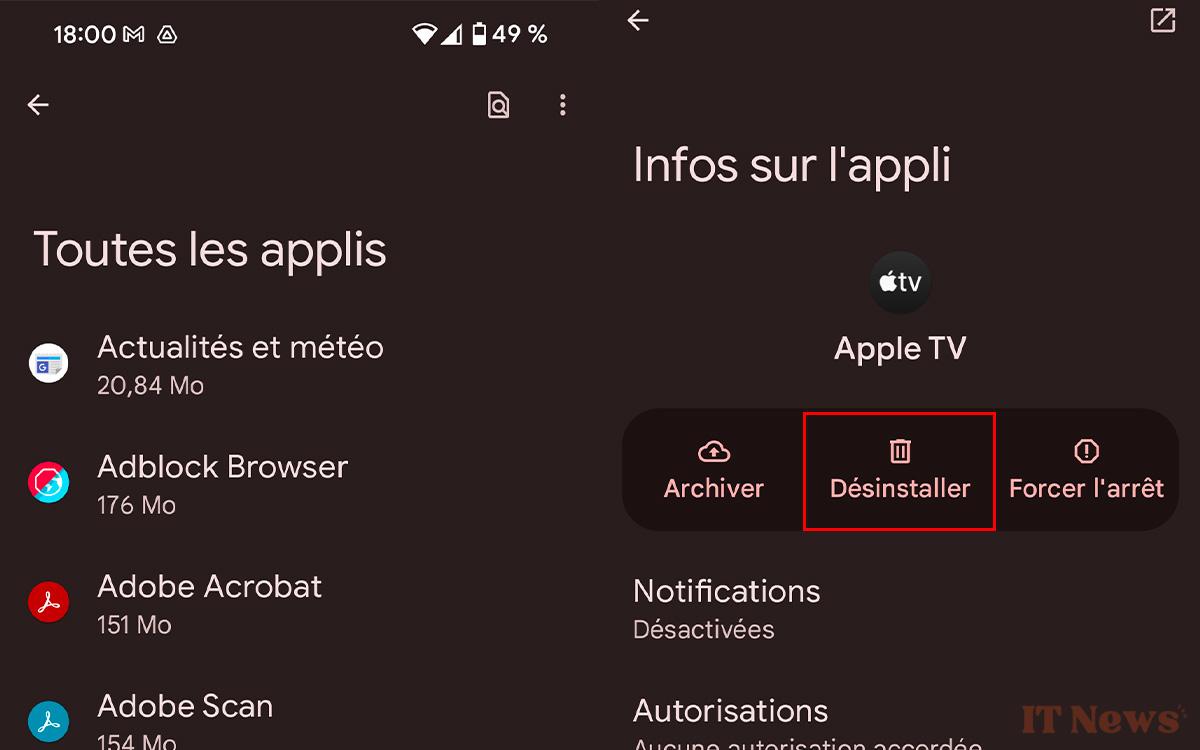
Then target the apps that distract you the most and keep you busy for too long, like social media. You'll save storage space on your device (Instagram alone weighs 1.5 GB, for example) and improve your device's battery life. This is because these apps are constantly running in the background and draining energy, even when you're not using them.
And if doing away with social media altogether is too difficult for you, there's nothing stopping you from accessing them via your web browser. This gives you better protection against data collection by Meta and the like. The icing on the cake is that you'll spend less time there, as the experience offered by the web versions is generally atrocious.
Set usage limits for apps
Another interesting option is to apply daily usage limits on each app. Once these limits are reached, the apps/sites in question will be paused and you will no longer receive any notifications from them. This is therefore useful for imposing restrictions on yourself and stopping wasting a lot of time on YouTube, Instagram, and the like:
- Still in Settings, go to the Digital Wellbeing and Parental Controls
- In the To disconnect section, look for the Limits for apps
- Choose the app of your choice (you can select several) and press the hourglass button to apply a usage time limit
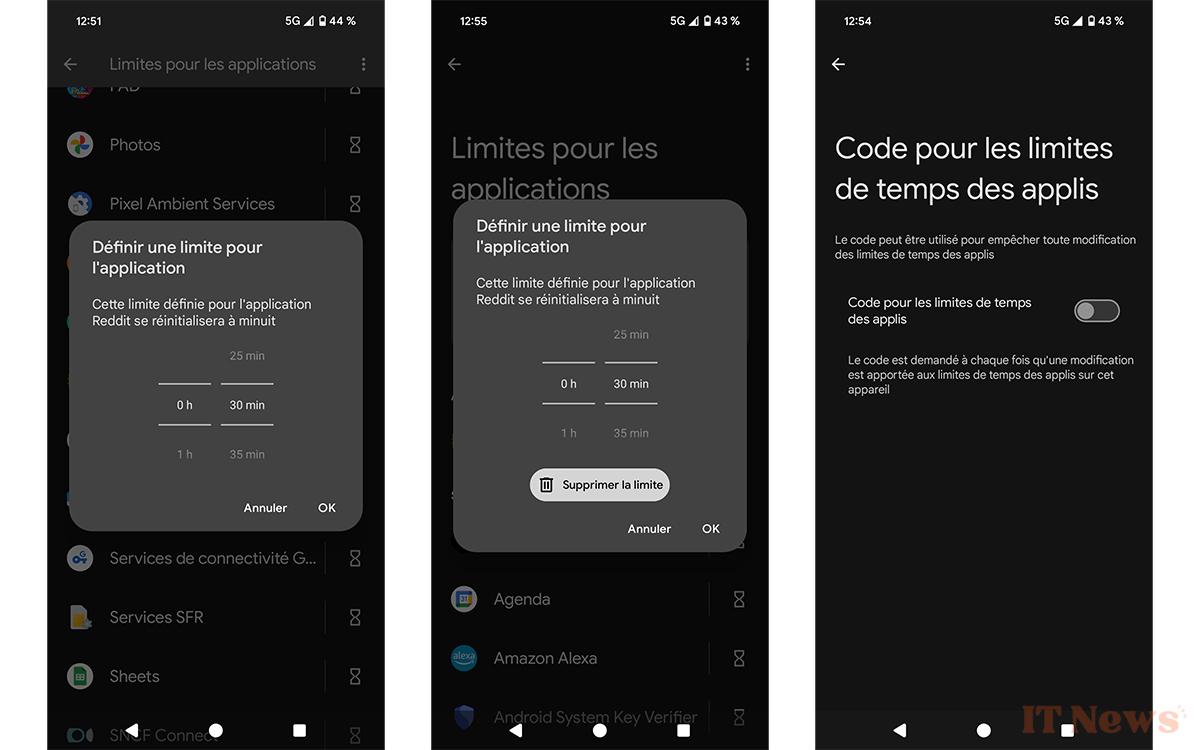
Please note that this feature allows you to “block” an app for up to 23 hours and 50 minutes. You will therefore need to get into the habit of setting your limits every day.
Disable all notifications
Like many people, you must receive an incalculable number of notifications every day. This avalanche of ding-ding can be a real scourge for your concentration. As you will have understood, the other step to making your phone more “dumb” is to disable notifications from your apps:
- In Settings, look for the Notifications > App Notifications
- In the filter options, select all apps
- Now take a few minutes to disable notifications on all your apps
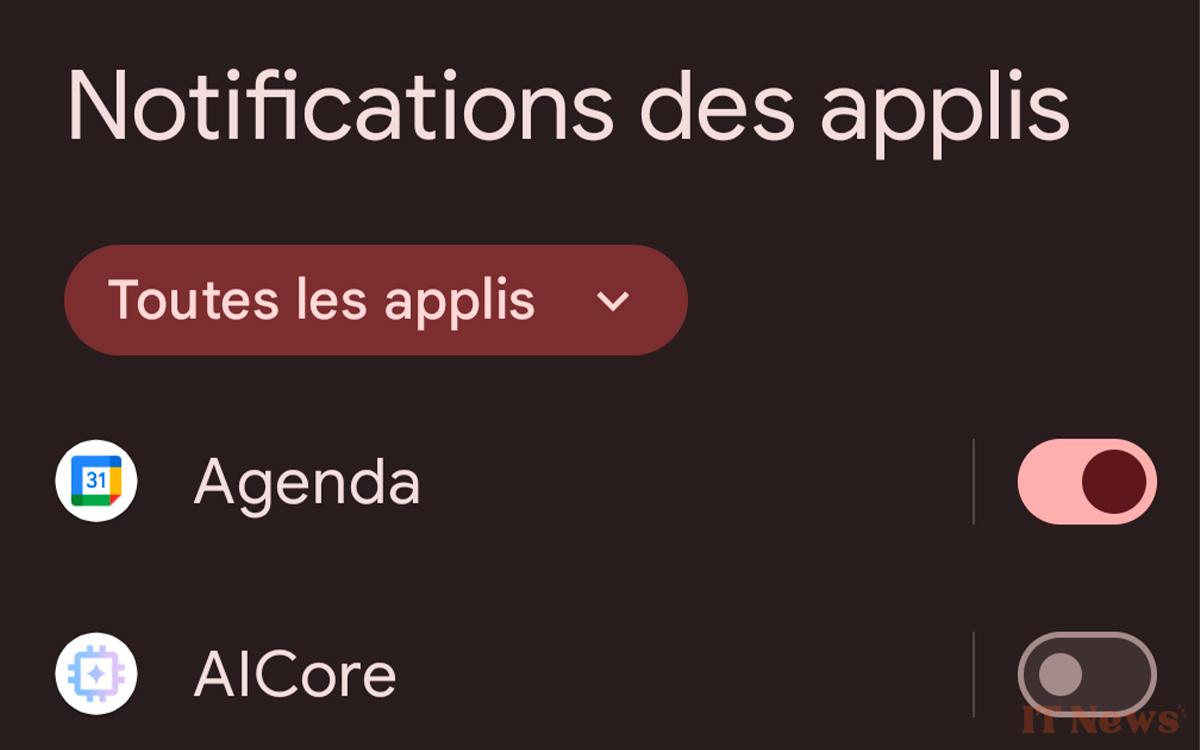
Of course, you can keep them enabled on a few apps that are important for your social life, such as WhatsApp or Messenger, for example.
Transform your lock screen in an austere place
In recent years, manufacturers have made sure to offer many options to users to customize their lock screen and make it particularly welcoming. You can now add several widgets, change the clock design to something more stylish, and even change the color of the icons and text to match the wallpaper.
And if you have notifications enabled on the lock screen, it will rarely stay locked, precisely with all this activity. So the idea is to make it as austere as possible:
- In the settings, go to Wallpaper and style
- Now tap on Other wallpapers
- Then look for the Solid Colors category and then simply select black
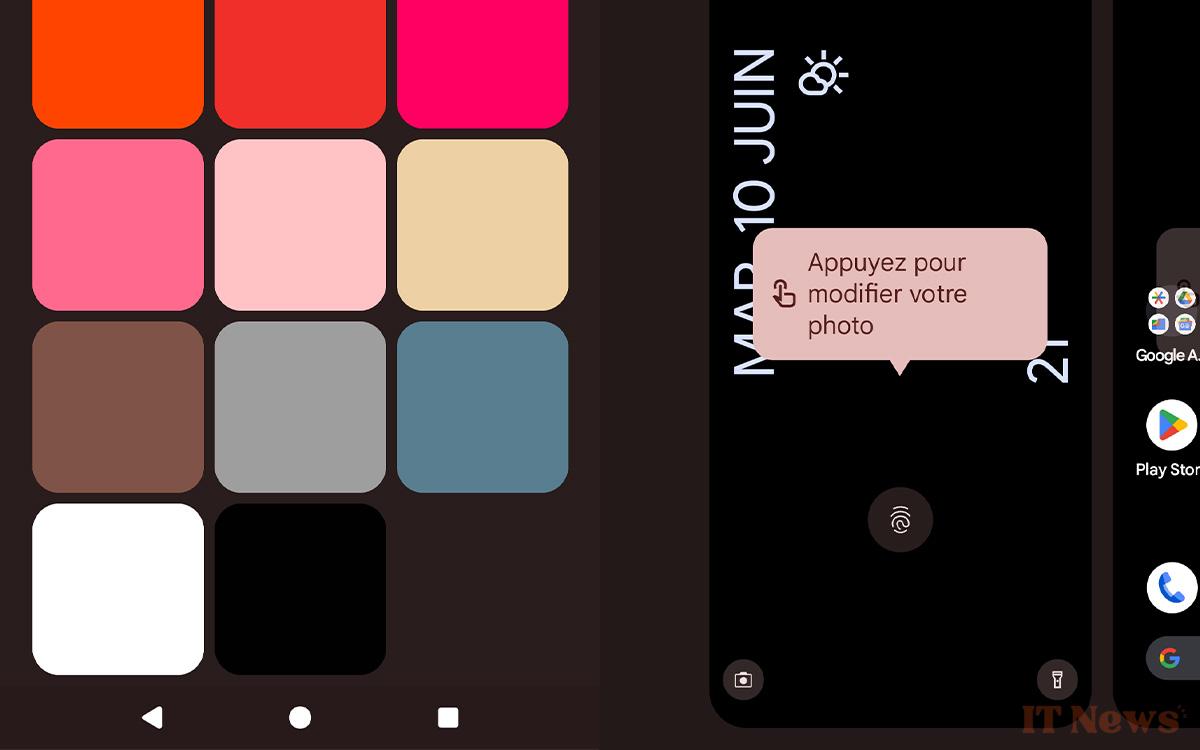
- If necessary, keep the weather widget (it's always practical and saves you from having to unlock your phone to check the weather)
- Just below, disable the option Show notifications on the lock screen
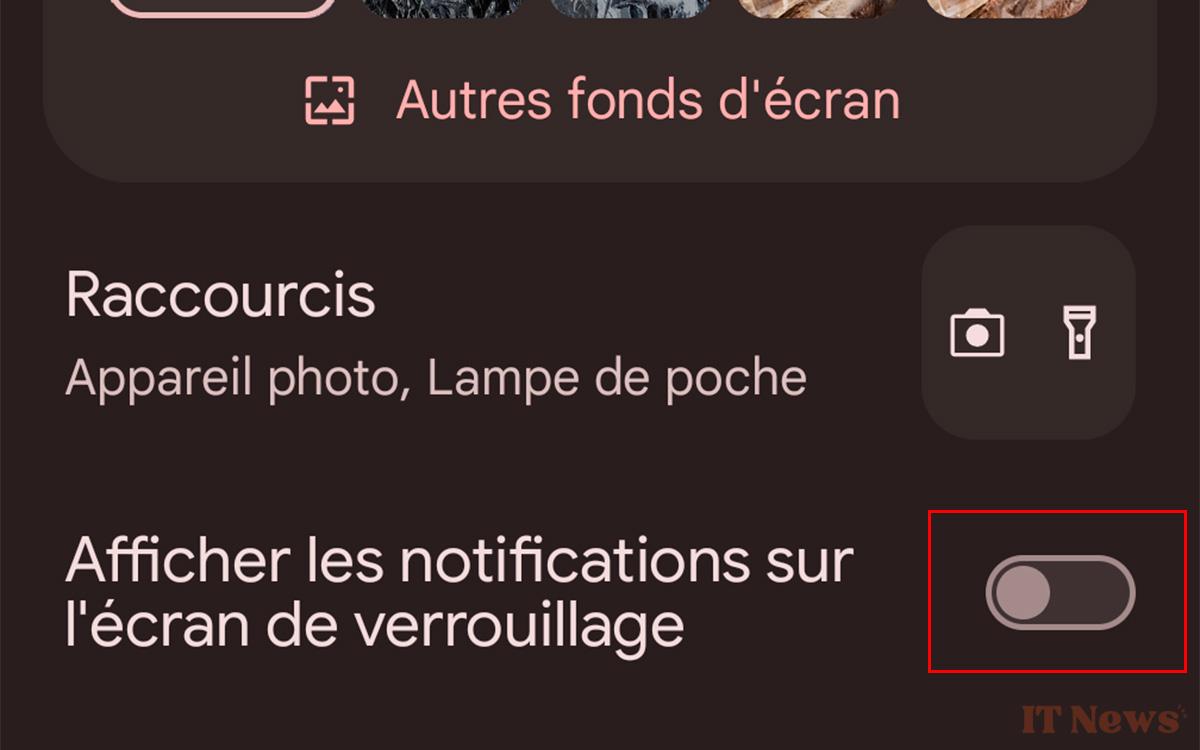
Once you've done this, don't hesitate to do the same for your home screen. Finally, strategically place your apps and leave the essential apps like Phone, Messages, Camera, and Music at the forefront. As for the ones that distract you the most, remove them from the home screen. Having to search for them in the library may discourage you from launching them... It's always a bonus.


0 Comments