
Until now, deleting a photo or video from Google Photos meant it disappeared everywhere, including from your phone. But with the new "Delete Google Photos Backup" option, you can now free up space on Google's servers while keeping your files on your smartphone. Available on iOS for some time, this feature is finally coming to Android.
Delete your Google Photos files from the cloud, but keep them on your phone
If you're running out of space on Google Photos (and don't want to upgrade), this update should be right up your alley. The new "Delete Google Photos Backup" option on Android now allows you to delete your photos and videos from the cloud without affecting the files saved locally on your phone or tablet.
Be careful though: by enabling this option, automatic backup will be disabled. This means that your new photos will no longer be sent to Google Photos until you manually re-enable backup.
How to delete a device's backup on Google Photos?
Accessing this feature is quite simple. Here's how:
- Open the Google Photos app on your Android smartphone.
- Tap your profile picture at the top right.
- Go to the "Photos app settings" then in the "Backup" option.
- Scroll down and select "Cancel backup from this device".
- Check the box that confirms the deletion of files from the cloud.
- Validate by tapping "Delete Google Photos backup".

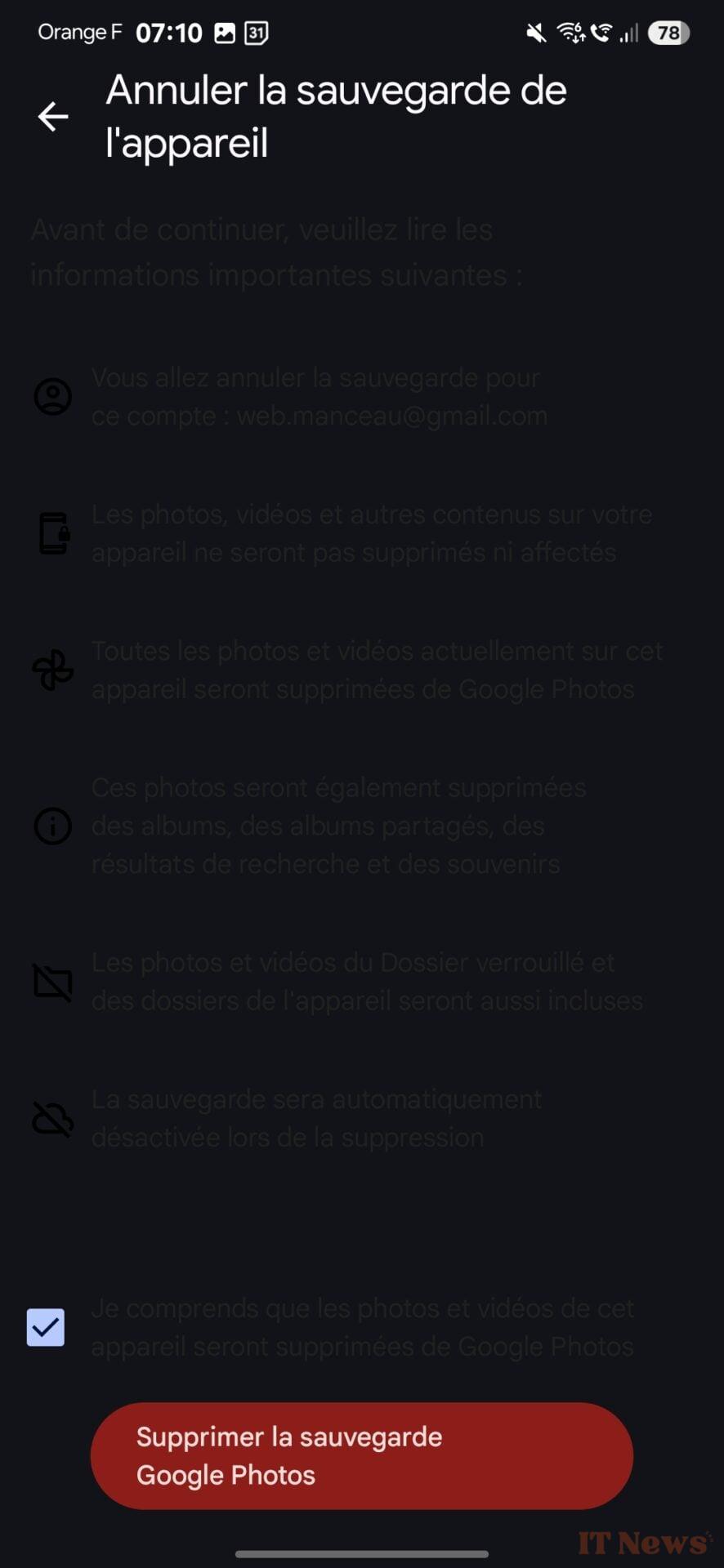
© 01net
And that's it! Your photos and videos will remain on your device, but will no longer be saved on Google's servers. To delve deeper into what the app can do, you can also check out our 15 tips for mastering Google Photos.

Source: Android Authority


0 Comments