
Google offers many more Android apps than those installed by default on smartphones. We've selected 6 that are definitely worth checking out. There's something for everyone.
When you turn on your new Android smartphone for the first time without transferring the content from your old one, you'll still find several pre-installed apps. Aside from the manufacturer's apps, services developed by Google are, unsurprisingly, the majority. YouTube, Chrome, Gmail, Messages, Maps… Overall, you have enough to do while you download the other programs of your choice.
Read also – Installing an Android app outside the Play Store is riskier than you think, Google reveals a shocking figure
But the Mountain View firm is behind many more applications than you might imagine. It's simple: unless you have a specific need, there's a very good chance you'll find the one you need just by searching through Google's catalog. Here are 6 that we recommend trying. Note that depending on your mobile and its Android version, some will not appear on your side in the Play Store due to incompatibility reasons. That said, it's very unlikely to happen.
These 6 little-known Google apps are very useful, try them
Let's start with one that's in our top 10 essential apps to install on your new Android smartphone.
Snapseed
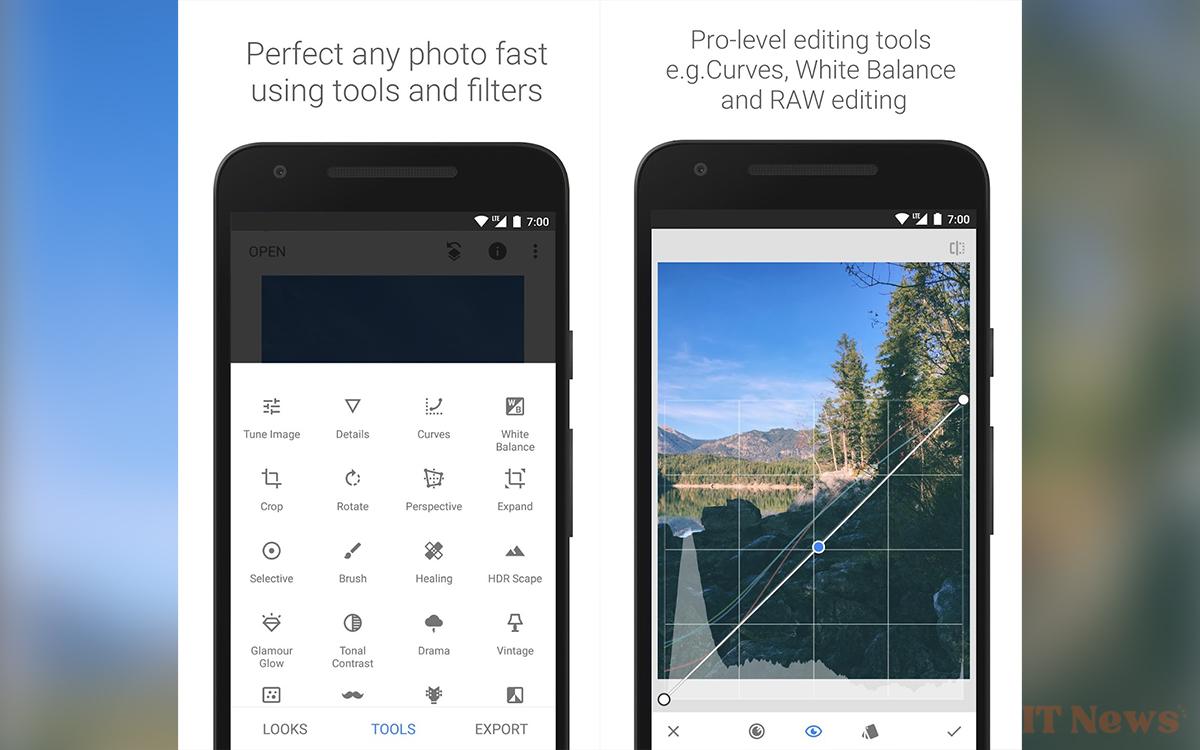
For photo enthusiasts who want to be able to do as much editing as possible directly on their smartphone, the Snapseed app is ideal. RAW format is supported and you will find dozens of tools and filters, some of which are available in specialized software such as color and brightness adjustment curves, the definition of precise areas so as not to touch the rest of the photo, or even independent management of tones (shadows, mid-tones and highlights).
Google Authenticator

Google Authenticator adds an extra layer of security to your various online accounts. The idea is that when you activate two-factor authentication on one of them, the application will generate a temporary code that you will have to enter before being able to access the account. It's possible to sync the codes with your Google account, which allows you to access them on all your devices. The code is generated even if you don't have an internet or mobile connection, so don't worry about that.
Gallery
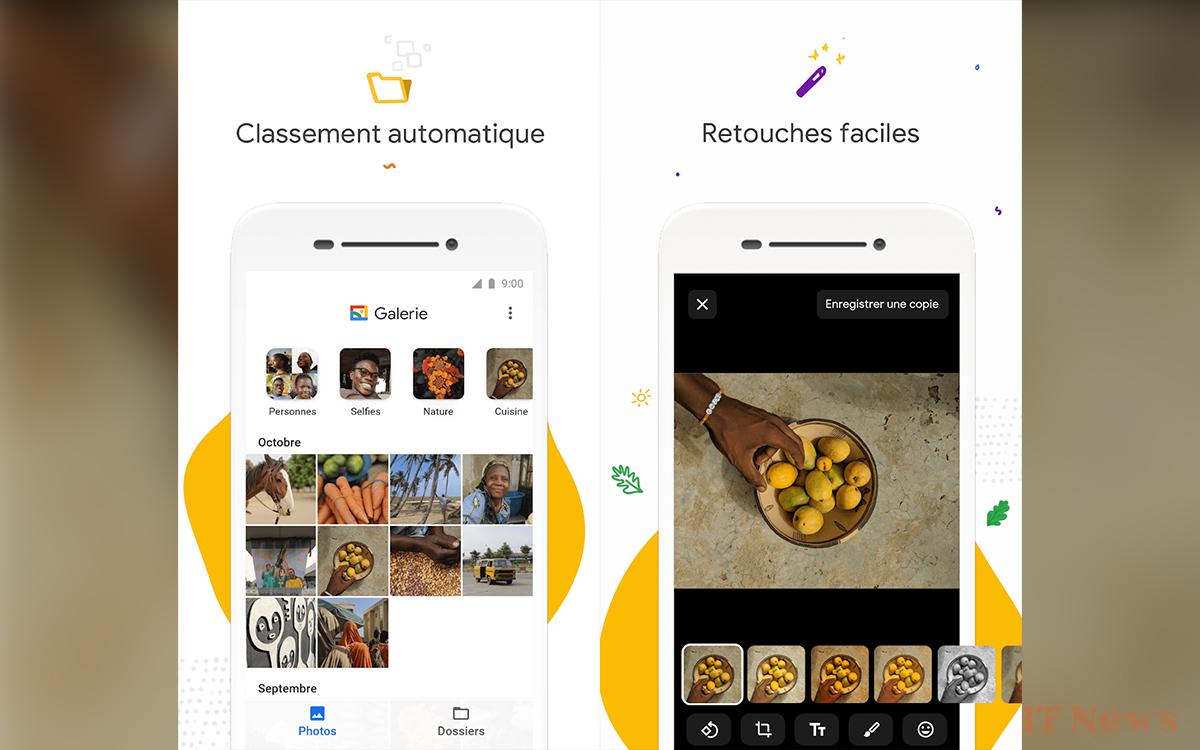
You've probably been using Google Photos as a gallery to view your photos for some time now. But did you know that there's a dedicated Google app for this? Simply called Gallery, it lets you automatically organize photos and even edit them with a few tools, even if that's not its primary function. The advantage of the app is that it is very easy to use, while working on low-power smartphones.
Google Arts & Culture
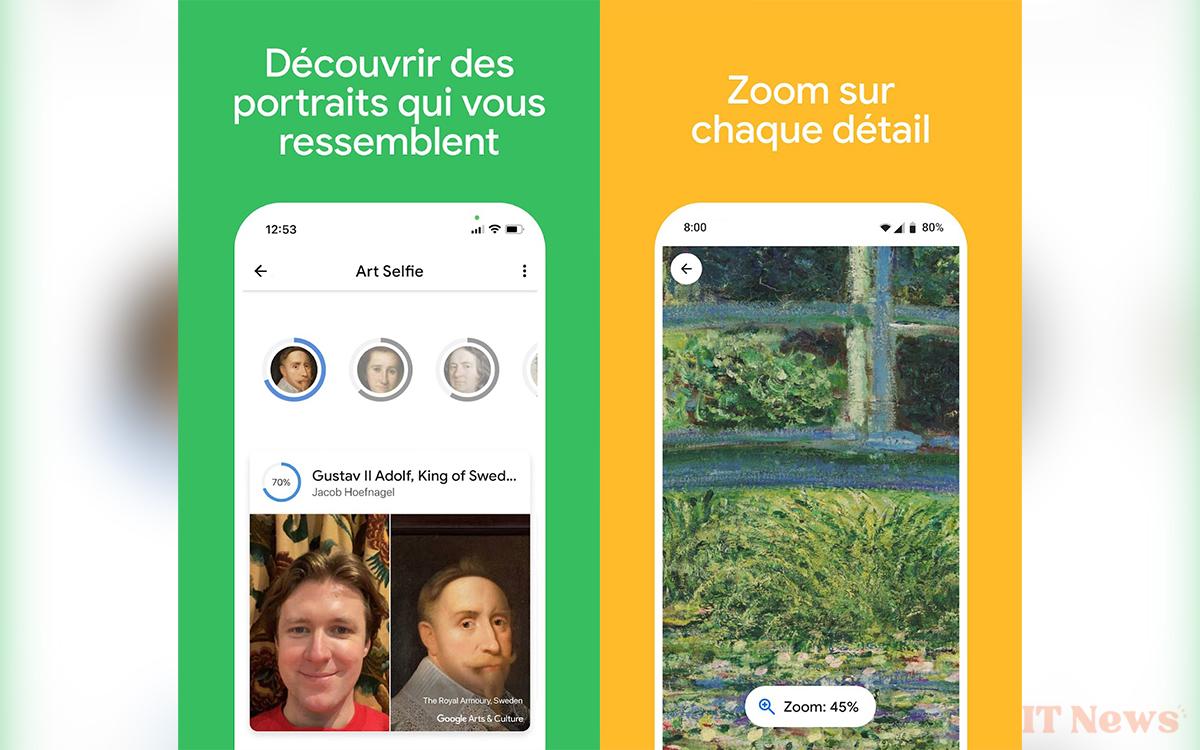
Visit museums around the world without anyone around, get up close to the works, discover distant curiosities... All without leaving home. This is what Google Arts & Culture offers. Use it to admire the details of numerous paintings, walk the corridors of a Mayan temple, or even find out which period portrait you resemble. The app, already very rich in content, is regularly updated with new content. It can also be used to identify works of art with your smartphone's camera.
Photomath
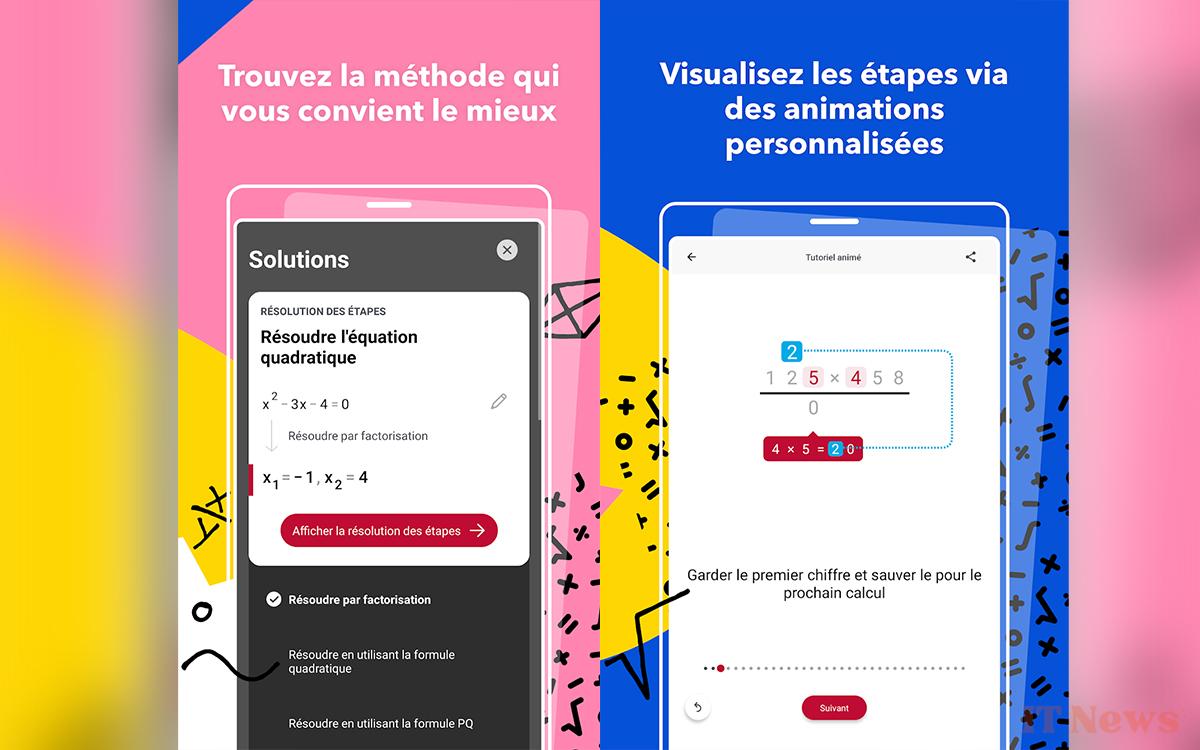
Learning math isn't easy for everyone. Sometimes, we get stuck in front of the equation we have to solve, or we think we've found the solution, but we'd like to be sure. Photomath is here for that. As its name suggests, the principle is to point the smartphone camera at a math statement (handwritten or typed) to obtain the answer along with the steps to get there. From algebra to trigonometry, including statistics and calculations of all kinds, it's hard to find fault with the application.
Google Find My Device
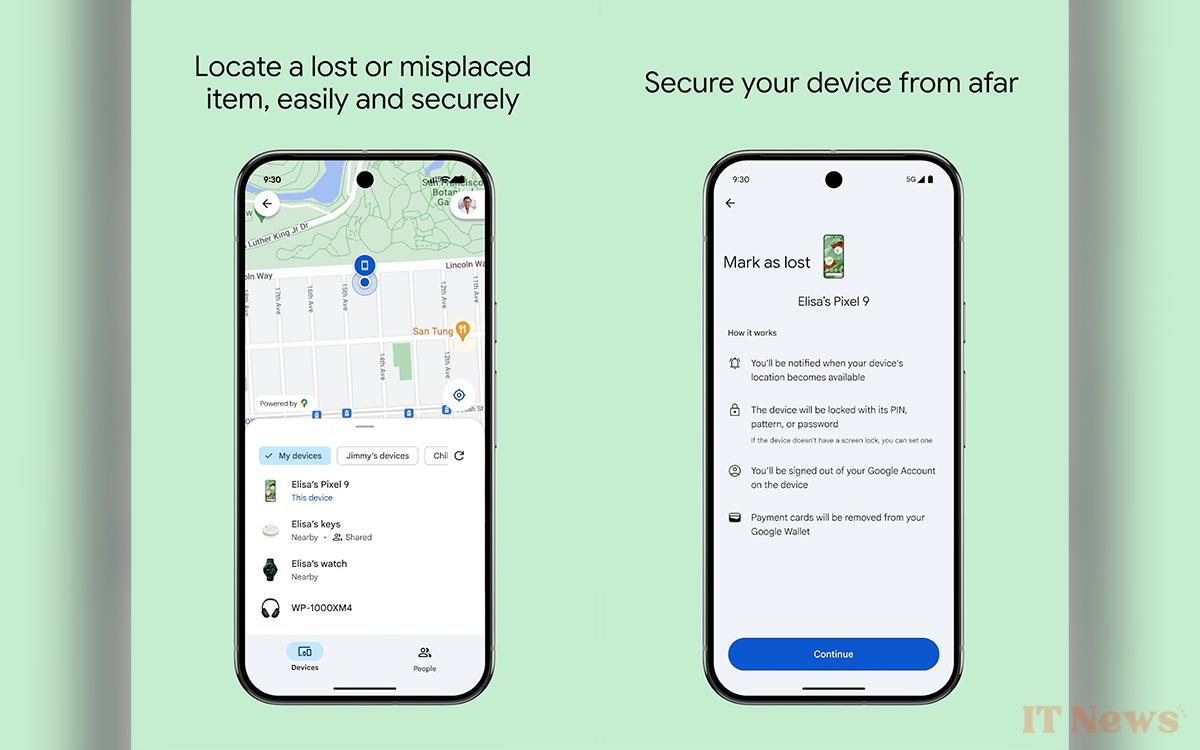
We end with a very useful application for forgetful people, but which will also benefit anyone who has lost their smartphone, wireless headphones, Bluetooth beacon, etc. Launched in 2024, Google Find My Device uses information from all nearby Android devices to track yours. Provided that users have activated the feature on theirs beforehand. To find out how to use it best, head over to our guide to getting the most out of Google Find My Device.


0 Comments